Nets / Nexi Group
Nets
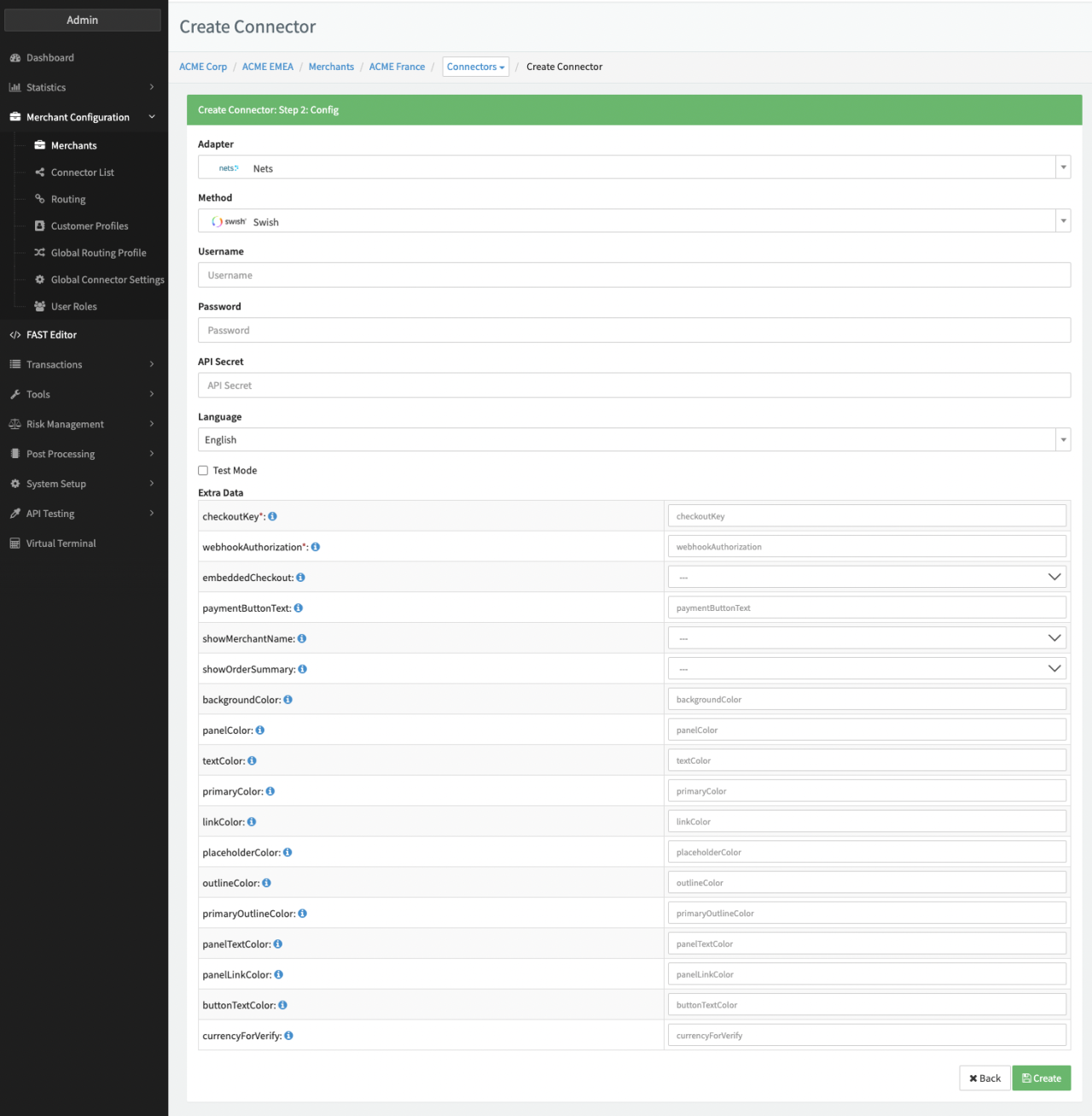
Configure the following parameters for the Connector (see Connector Configuration - Nets):
- Fill in the mandatory Username
- Fill in the mandatory Password
- Fill in the mandatory API Secret
- Fill in the mandatory Extra Data: checkoutKey
- Fill in the mandatory Extra Data: wekbhookAuthorization
- Select the mandatory Extra Data: embeddedCheckout: True, False - Indicates if the embedded checkout via widget, or the full page redirect should be used.
- Fill in the Extra Data: paymentButtonText
- Select the mandatory Extra Data: showMerchantName: True, False
- Select the mandatory Extra Data: showOrderSummary: True, False
- Fill in the Extra Data: backgroundColor
- Fill in the Extra Data: panelColor
- Fill in the Extra Data: textColor
- Fill in the Extra Data: primaryColor
- Fill in the Extra Data: linkColor
- Fill in the Extra Data: placeholderColor
- Fill in the Extra Data: outlineColor
- Fill in the Extra Data: primaryOutlineColor
- Fill in the Extra Data: panelTextColor
- Fill in the Extra Data: panelLinkColor
- Fill in the Extra Data: buttonTextColor
- Fill in the Extra Data: currencyForVerify
Additional configuration specifics can be found in the Adapter-specific API Documentation
Bank Transfer - Nexi
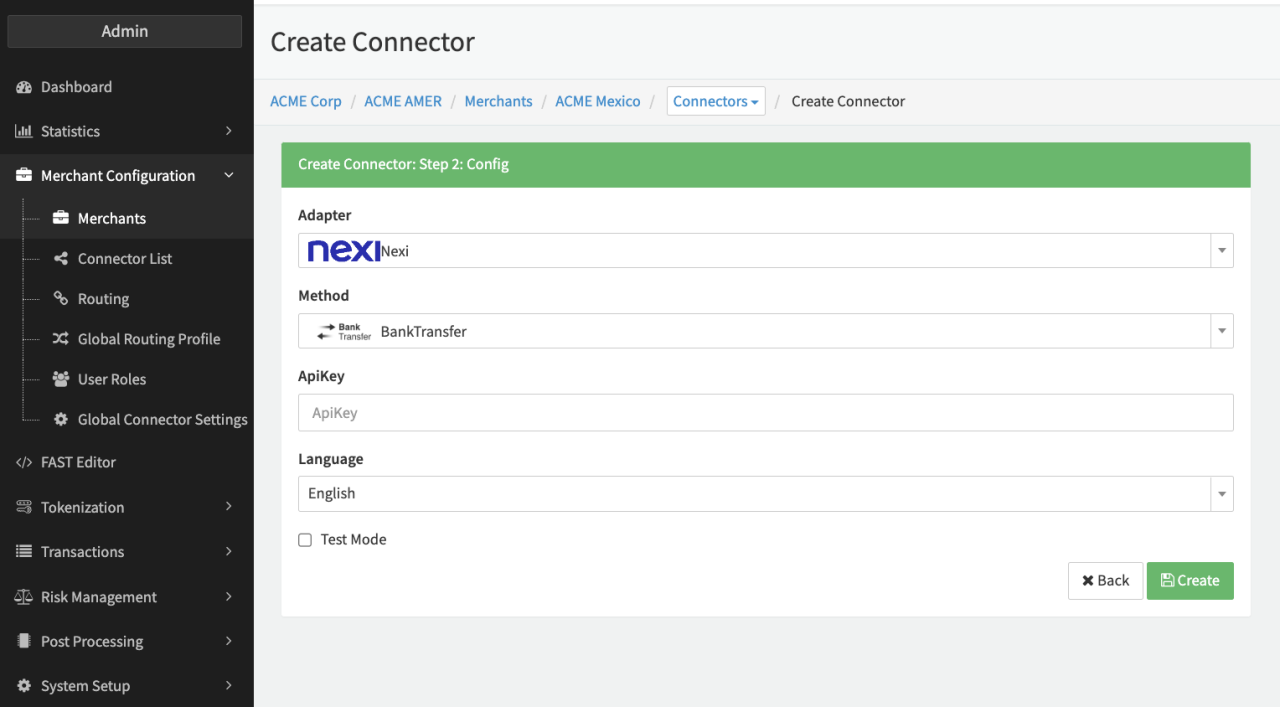
Configure the following parameters for the Connector (see Connector Config - Nexi):
- Fill in the mandatory ApiKey
Data Fetcher Configuration
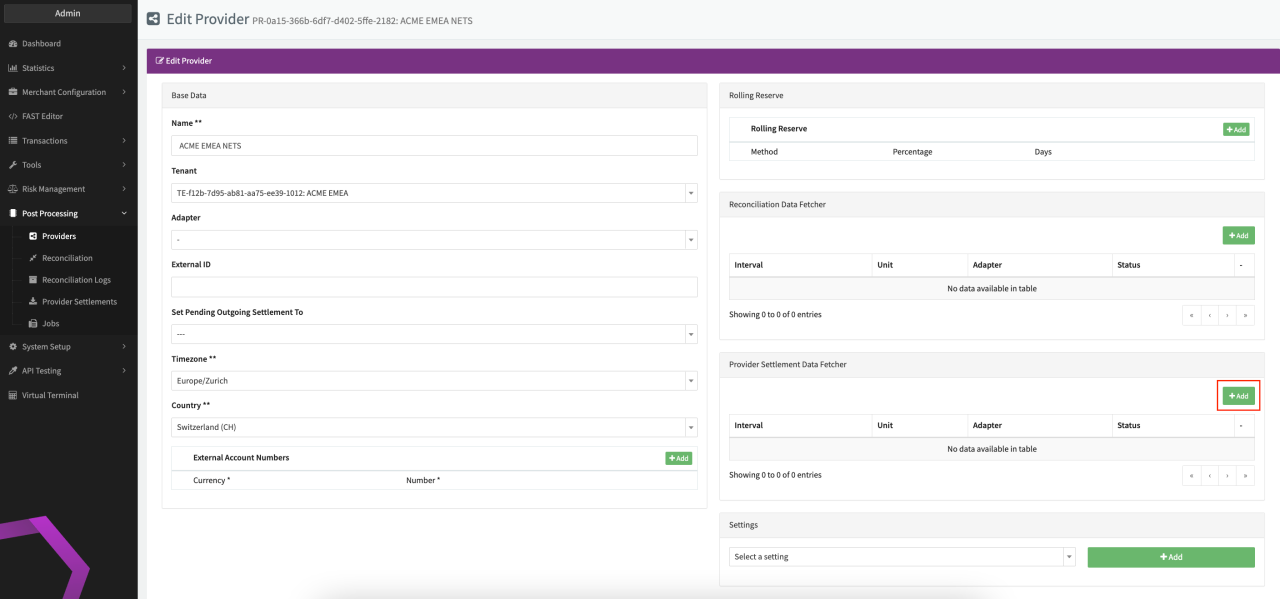
You have the option to configure Data Fetchers (see section Enable and Set Up Reconciliation on the Provider Level) either on Provider or on Connector Level, depending on which setup works better for your provider (see Edit Provider).
Provider Settlement
Configure the following Parameters for the Settlements Provider Data Fetcher to fetch Settlement (json format) via an API :
- Fill in the expected Interval in which the Provider Settlement File should be fetched - days, hours
- Select the Adapter Nets
- Enable Testmode to test fetching of Provider Settlements from the Nets Sandbox (URL used https://test.api.dibspayment.eu), disabled the Nets Production (URL https://api.dibspayment.eu) environment is used
- Fill in the mandatory Extra Data: apiKey The Secret API Key (string) from Nets Easy to authorize the Request Header in both Test & Live Environments. Failure to correctly authenticate an API request will result in a "401 Unauthorized" response.
- Fill in the optional Extra Data: merchantNumber Use this parameter (integer) only if you are a Nets partner using the service with your partner API key.
- Fill in the optional Extra Data: currency Used to include only settlements with given currency. Should be formatted according to an ISO 4217 3-letter currency code for Example "EUR".