Neteller
Neteller
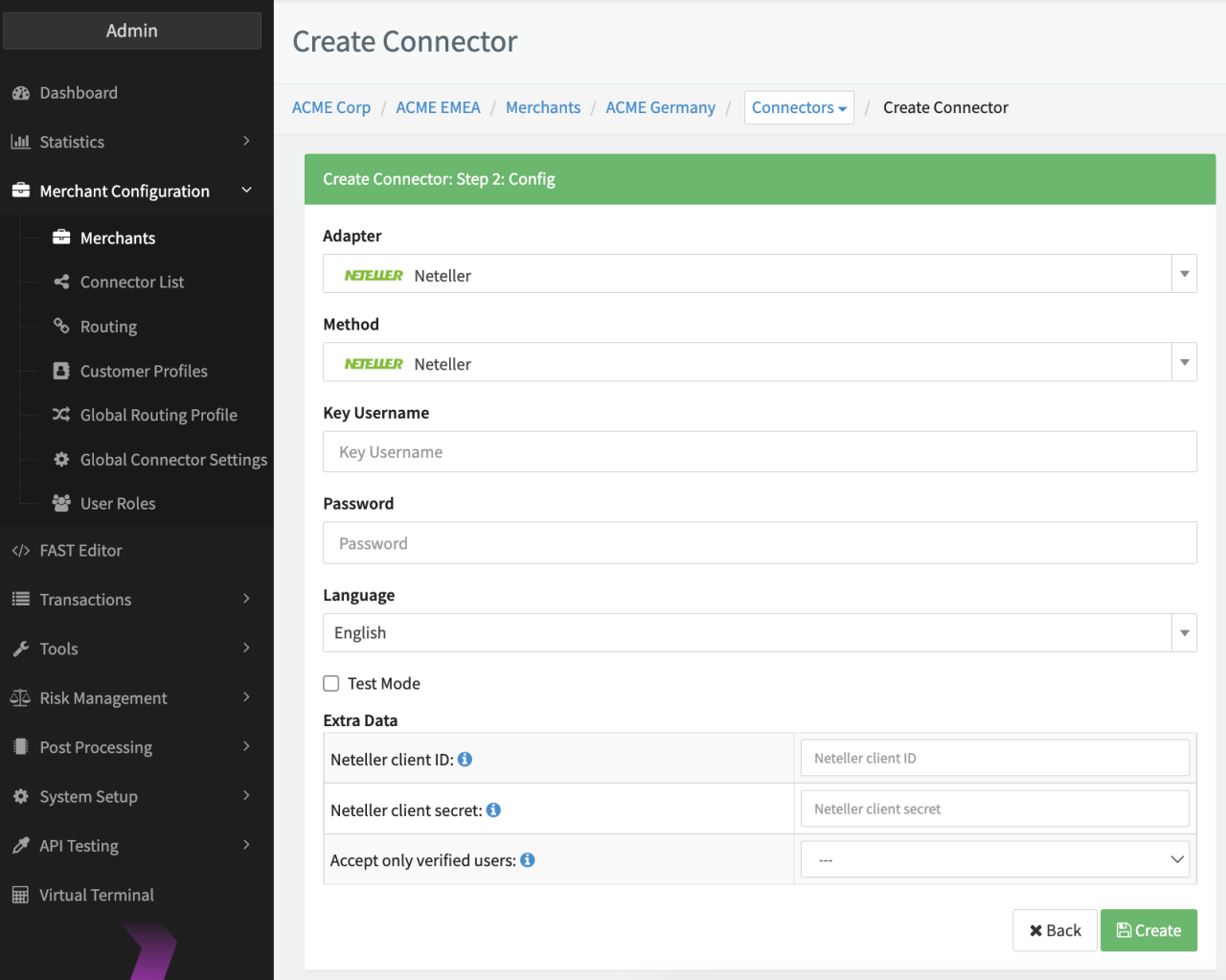
Configure the following parameters for the Connector (see Connector Config - Neteller):
- Fill in the mandatory Key Username
- Fill in the mandatory Password
- Fill in the optional Extra Data: Neteller client ID — for Customer details verification
- Fill in the optional Extra Data: Neteller client secret — for Customer details verification
- Select the optional Extra Data: Accept only verified user — true, false
Customer details verification
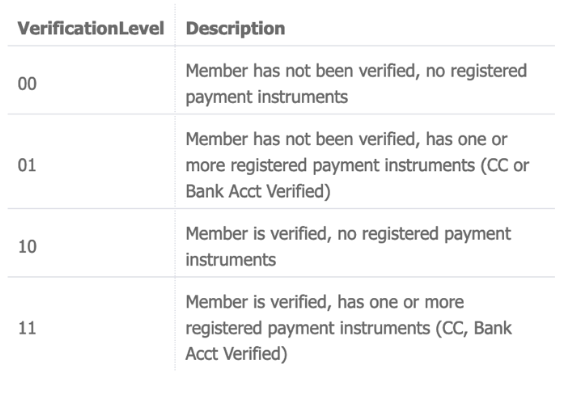
The verify endpoint can be used to check if the customer's account information in the Neteller system corresponds to the customer's information in your system. There are 4 different verification levels (see Verification Levels). The customer details verification response will be shown as an extra data in in the postback notification.
If the Extra Data: Accept only verified users is set to true, only customers with verification levels 10 or 11 are allowed to proceed the payment process. Otherwise an error that the account verification level is insufficient will appear in the API response and the transaction will be aborted (error state).
The payment method Neteller Wallet is integrated, but has not been actively used for an extended period, or its individual capabilities could not undergo thorough testing. Since using this payment method might require further development, we encourage you to reach out directly to your Customer Success Manager or contact your Support Team in theme IXOPAY Customer Experience Portal if you're interested in implementing this payment method.