NaverPay
Configuration
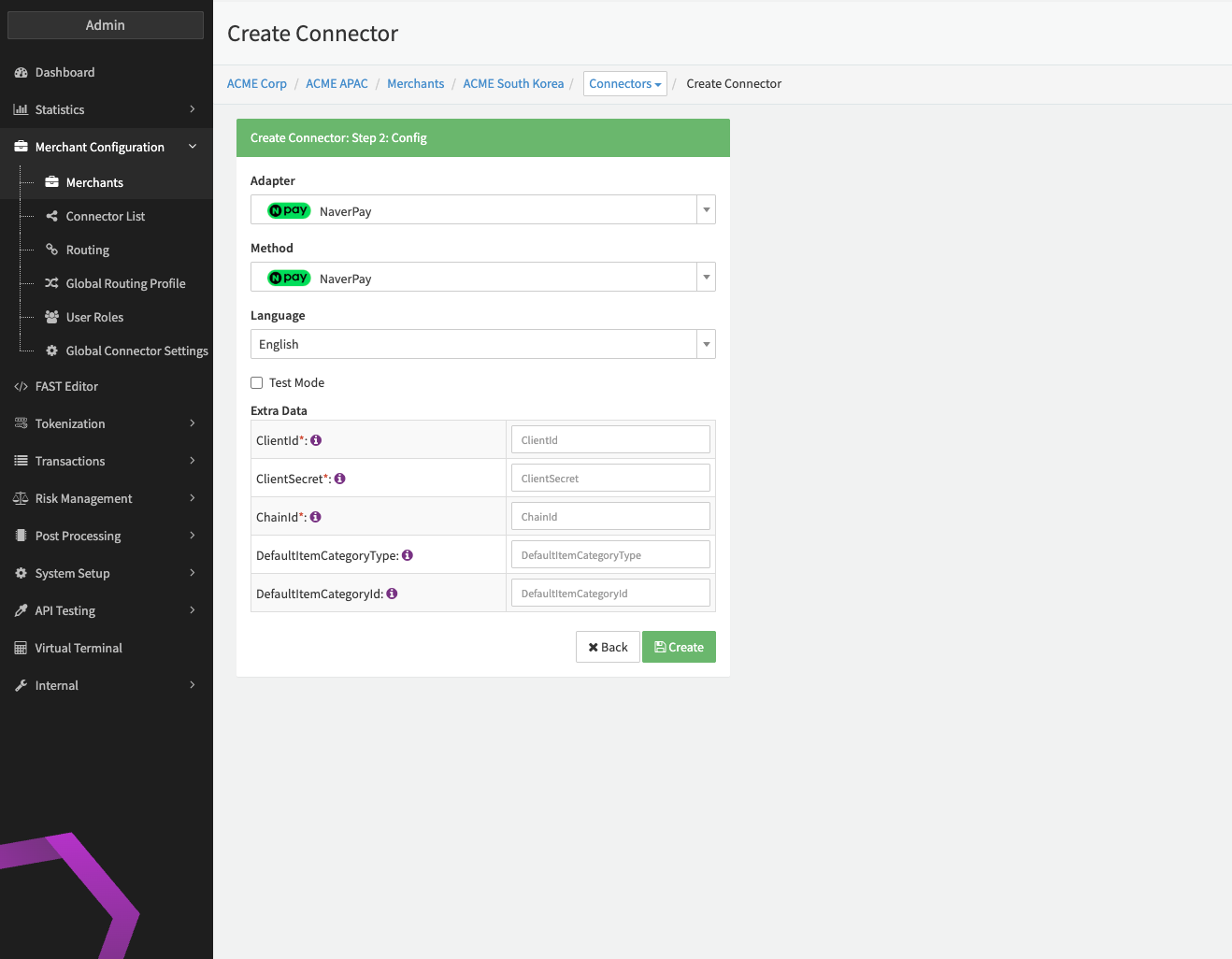
Configure the following parameters for the Connector (see Connector Config - NaverPay):
- Fill in the mandatory Extra Data: ClientId
- Fill in the mandatory Extra Data: ClientSecret
- Fill in the mandatory Extra Data: ChainId
- Fill in the optional Extra Data: DefaultItemCategoryType - Overrides the categoryType sent to NaverPay on every item
- Fill in the optional Extra Data: DefaultItemCategoryId - Overrides the categoryId sent to NaverPay on every item
Data Fetcher Configuration
Setup and configure your Data Fetcher on a Provider (see section Enable and Set Up Reconciliation on the Provider Level)
Provider Settlement
The retrieved settlement report is a combination of the responses of NaverPay Individual Settlements & NaverPay Daily Settlements providing information about transaction settlement details & line items. The settlements of the previous day are available on NaverPay after 12:00 PM KST.
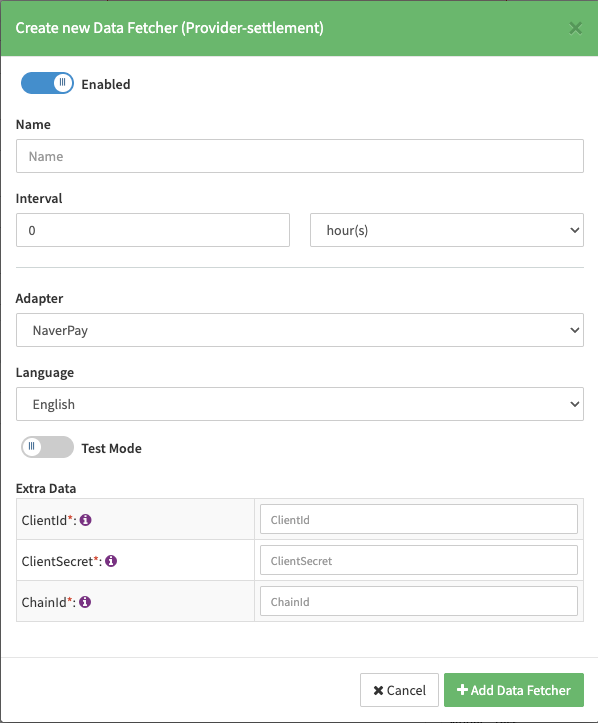
Configure the following Parameters for the Settlements Provider Data Fetcher to fetch Settlement.
- Fill in the optional Name
- Fill in the expected Interval in which the Provider Settlement File should be fetched - days, hours
- Select the Adapter NaverPay
- Enable Testmode to test fetching of Provider Settlements from the NaverPay Sandbox (URL used https://dev-pay.paygate.naver.com), disabled the NaverPay Production (URL https://pay.paygate.naver.com) environment is used. NaverPay currently does not provide any settlement files to fetch on the Sandbox environment.
- Fill in the mandatory Extra Data: ClientId: used for authentication
- Fill in the mandatory Extra Data: ClientSecret: used for authentication
- Fill in the mandatory Extra Data: ChainId: used for authentication
Settlement fields
Batch Number
The batch number is build from the configured ChainId & fetched settlement date: e.g.: ChainId-123_20260210.
Payment Reference
NaverPay does not provide any payment reference.
Mapped Fields
We are mapping the following fields from the NaverPay settlement reports (NaverPay → IXOPAY platform):
| Provider | IXOPAY platform | default (if not set by Provider) |
|---|---|---|
| settleCompleteDate | transaction settlement date | date time of processing |
| payHistId | transaction adapter tx id | none - required |
| paySettleAmount | transaction settlement amount, (+)paySettleAmount = Debit (-)paySettleAmount = Refund | none - required |
| totalCommissionAmount | transaction commission fee amount | none |
| settleAmount | Line Item - net-settlement-amount | none |