Mercado Pago
Mercado Pago Creditcard
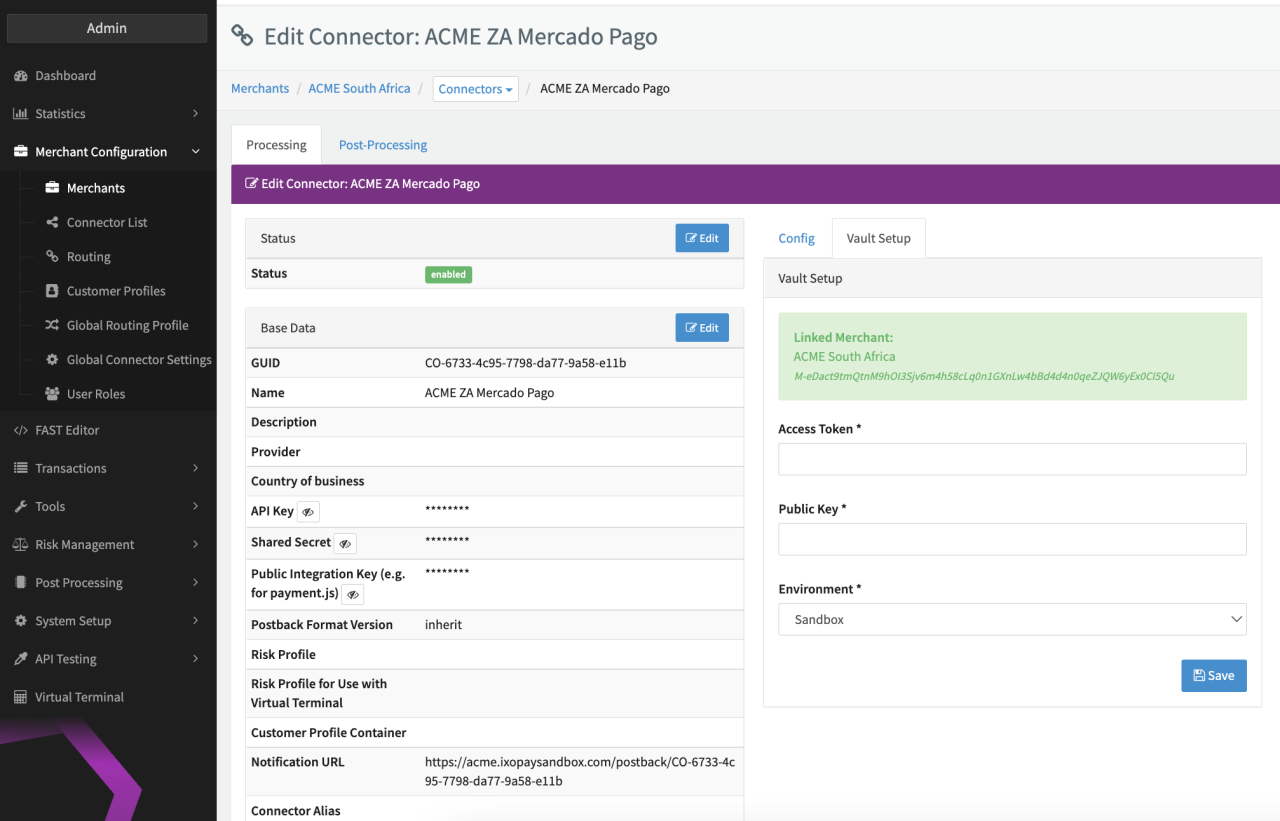
Configure the following parameters for the Connector (see Connector Detail Overview - Mercado Pago - Vault Configuration):
- Fill in the mandatory Access Token
- Fill in the mandatory Public Key
- Select the mandatory Environment: Live, Sandbox
For more information have a look at the adapter-specific API documentation
Data Fetcher Configuration
You have the option to configure Data Fetchers (see section Enable and Set Up Reconciliation on the Provider Level) either on Provider or on Connector Level, depending on which setup works better for your provider (see Edit Provider).
Provider Settlement
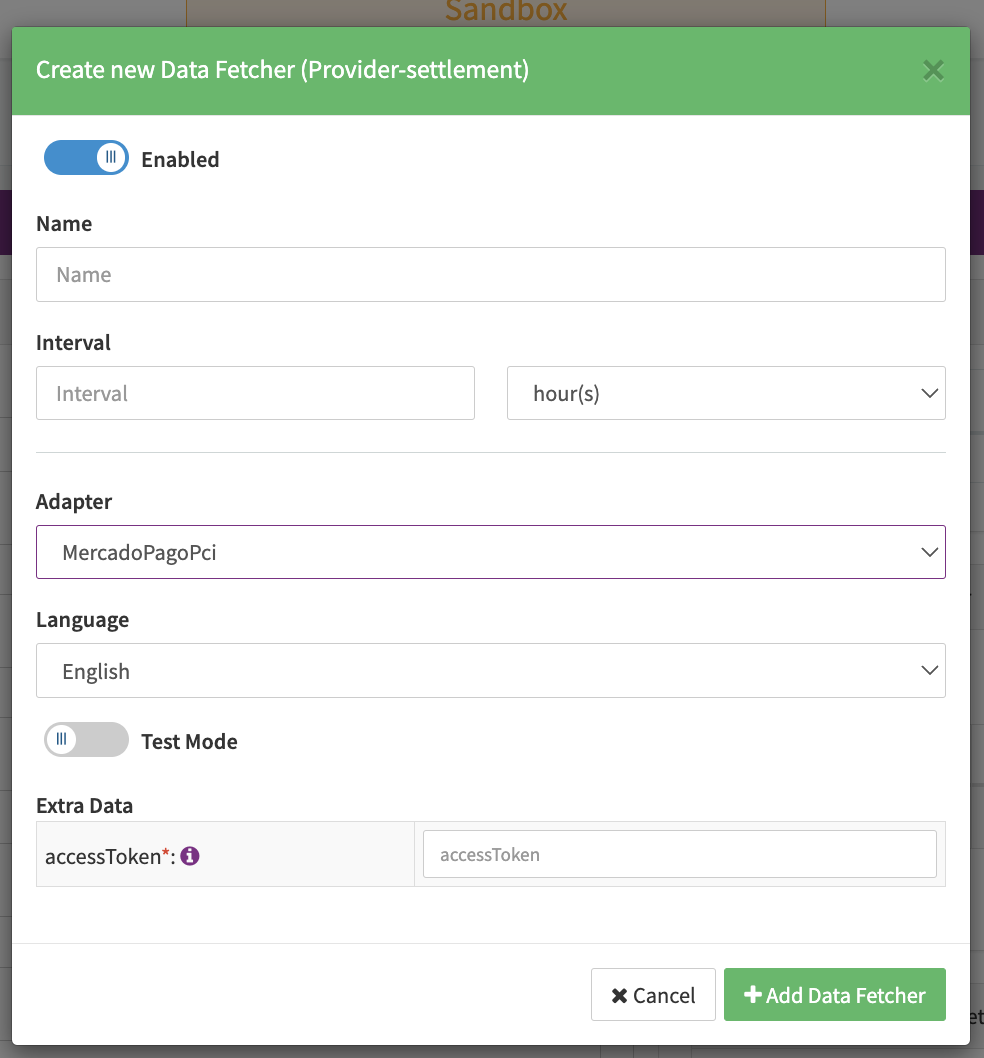
Configure the following Parameters for the Settlements Provider Data Fetcher to fetch Settlement (json format) via an API (see Edit Provider Settlement Data Fetcher Provider Level):
- Fill in the expected Interval in which the Provider Settlement File should be fetched - days, hours
- Select the Adapter MercadoPago
- There is no test environment available for this adapter, so the Testmode setting does not have any effect.
- Fill in the mandatory Extra Data: accessToken provided by MercadoPago
The automatic generation of reports has to be set up on Mercado Pago. See https://www.mercadopago.com.ar/developers/en/docs/checkout-api/additional-content/reports/account-money/api#bookmark_schedule_your_automatic_reports