Mashreq
Creditcard
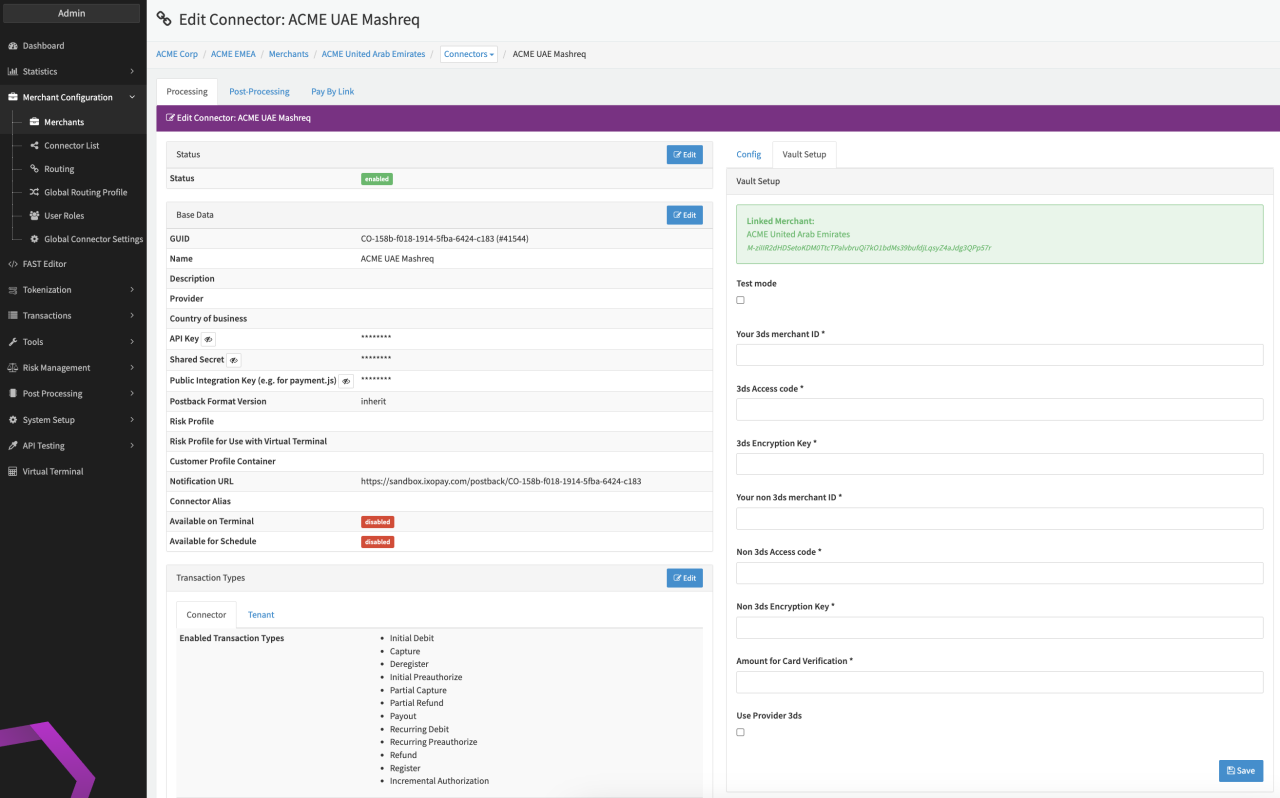
Configure the following parameters for the Connector (see Connector Detail Overview - Mashreq Creditcard - Vault Configuration):
- Enable Testmode
- Fill in the mandatory Your 3ds merchant ID
- Fill in the mandatory 3ds Access code
- Fill in the mandatory 3ds Encryption Key
- Fill in the mandatory Your non 3ds merchant ID
- Fill in the mandatory Non 3ds Access code
- Fill in the mandatory Non 3ds Encryption Key
- Fill in the mandatory Amount for Card Verification
Data Fetcher Configuration
You have the option to configure Data Fetchers (see section Enable and Set Up Reconciliation on the Provider Level) either on Provider or on Connector Level, depending on which setup works better for your provider (see Edit Provider).
Provider Settlement
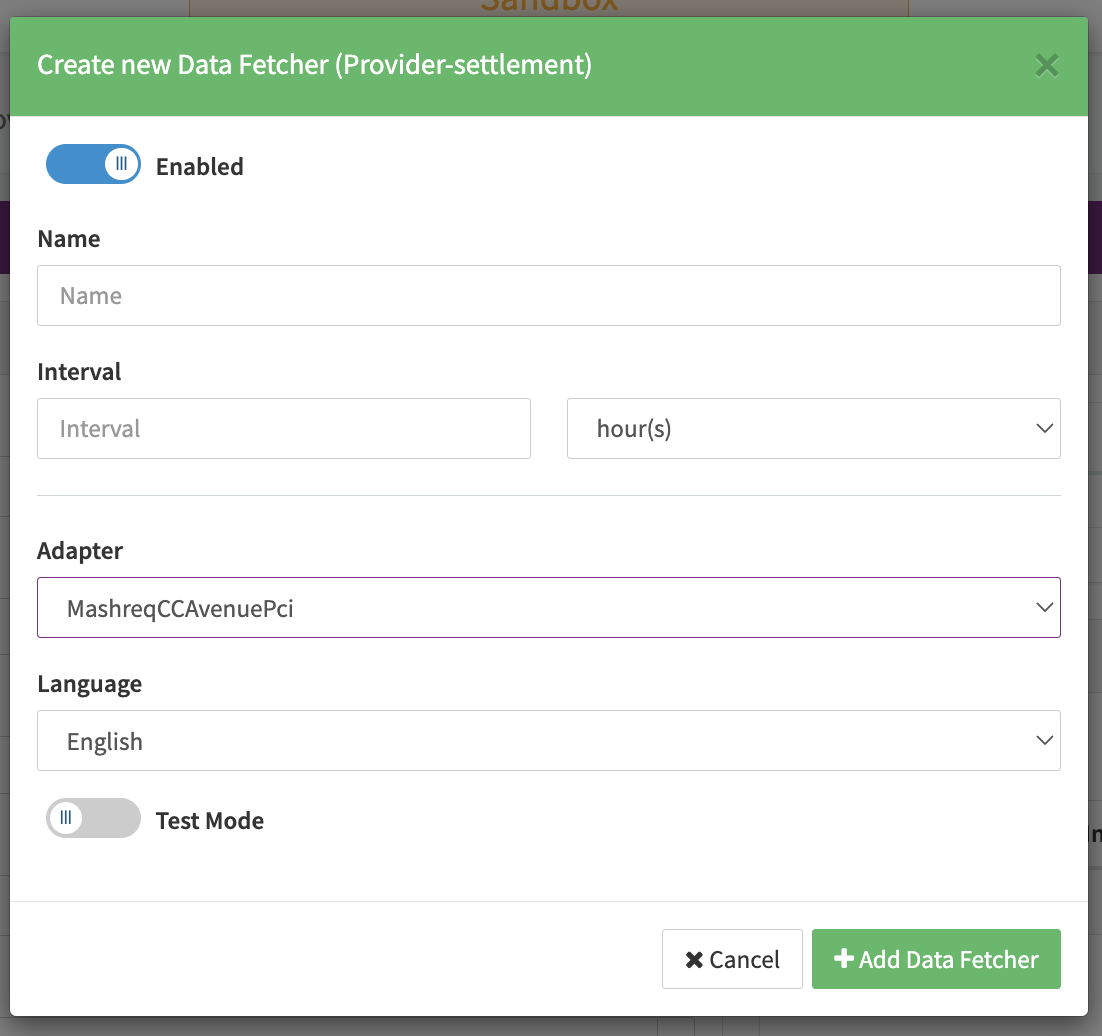
Configure the following Parameters for the Settlements Provider Data Fetcher to upload settlement files manually (json format) (see Edit Provider Settlement Data Fetcher Provider Level):
- Fill in the optional Name for the Data Fetcher
- Fill in the any Interval - setting is irrelevant for this adapter
- Select the Adapter MashreqCCAvenuePci
- Enable Testmode is irrelevant for this adapter