Klarna
Klarna Hpp
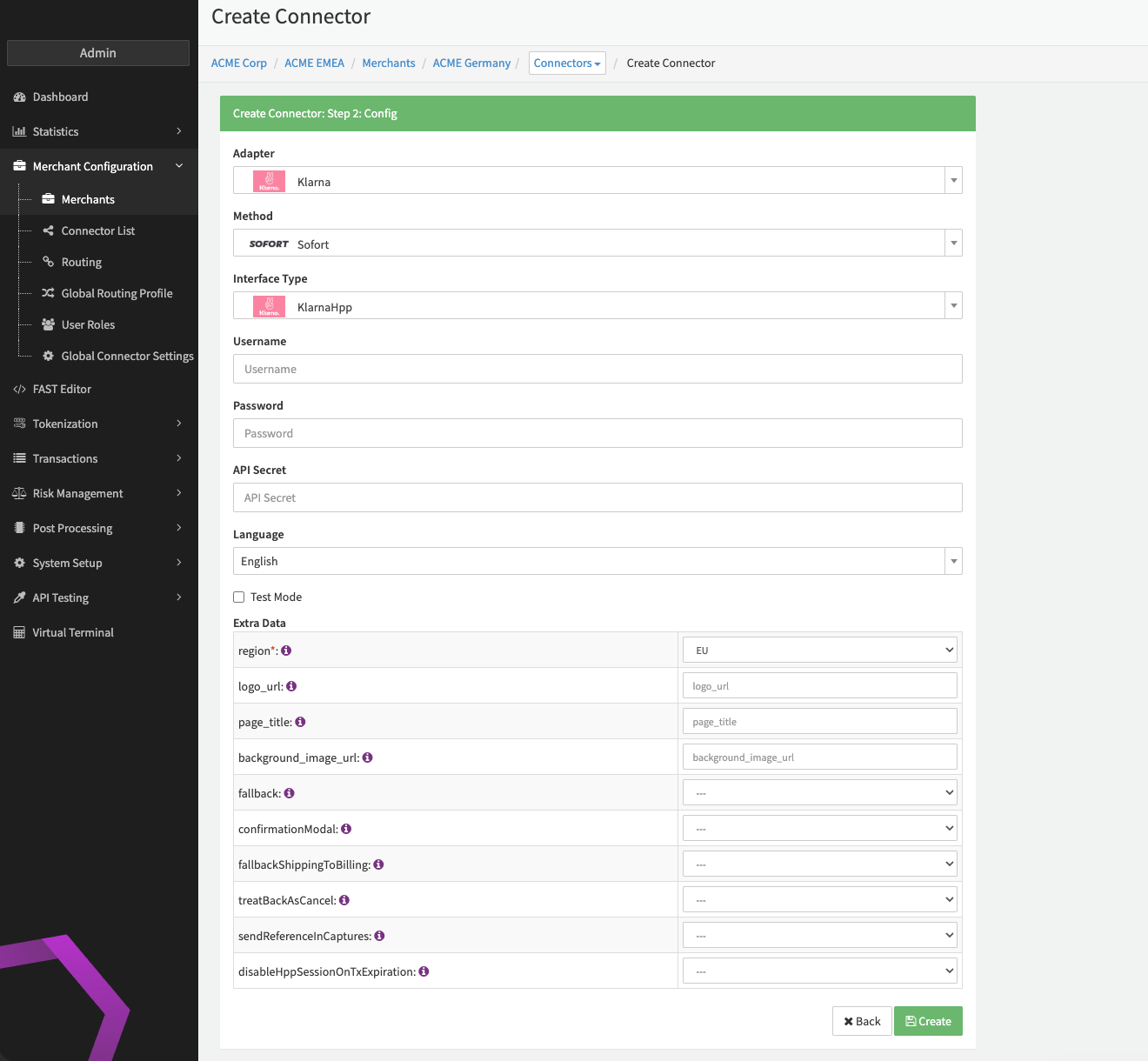
Configure the following parameters for the Connector (see Connector Config - KlarnaHpp):
- Fill in the mandatory Username
- Fill in the mandatory Password
- Fill in the optional API Secret
- Select the mandatory Extra Data: region — EU, NA, OC
- Fill in the Extra Data: logo_url
- Fill in the Extra Data: page_title
- Fill in the Extra Data: background_image_url
- Select the Extra Data: fallback — true, false
- Select the Extra Data: confirmationModal — true, false
- Select the Extra Data: fallbackShippingToBilling — true, false
- Use shipping details as fallback in case billing details were not provided
- Select the Extra Data: treatBackAsCancel — true, false
- Treat Klarna Webhook status
BACKasCANCELLED
- Treat Klarna Webhook status
- Select the Extra Data: sendReferenceInCaptures — true, false
- Send UUID of capture transaction to Klarna. The UUID will be then available in the settlements to reconcile capture transactions
- Select the Extra Data: disableHppSessionOnTxExpiration — true, false
- Upon expiration of the transaction (see Expire transaction with a given status after given minutes) the Klarna Hosted Payment Session will also be expired
Klarna Widget
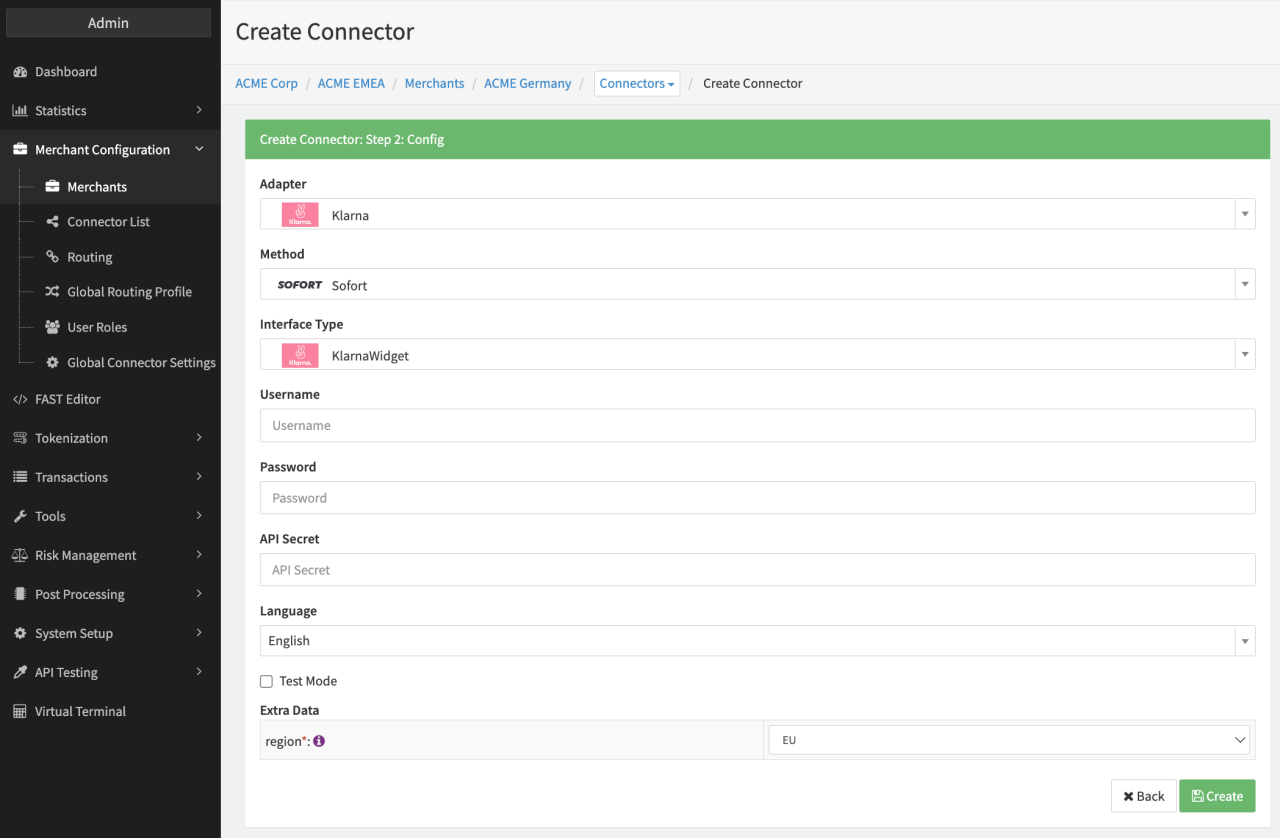
Configure the following parameters for the Connector (see Connector Config - KlarnaWidget):
- Fill in the mandatory Username
- Fill in the mandatory Password
- Fill in the mandatory API Secret
- Select the mandatory Extra Data: region — EU, NA, OC
Klarna Invoice
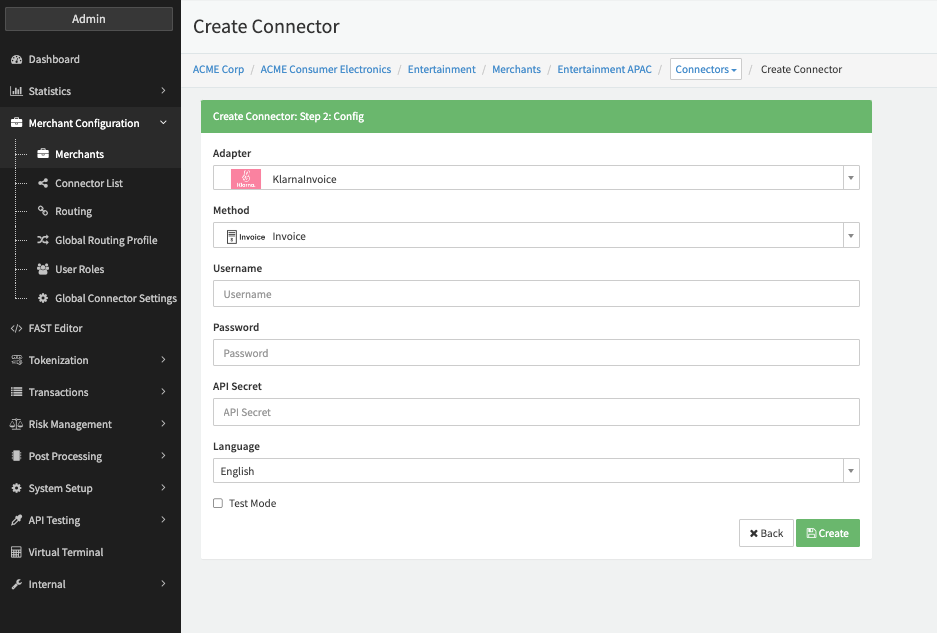
Configure the following parameters for the Connector (see Connector Config - KlarnaInvoice):
- Fill in the Username
- Fill in the Password
- Fill in the API Secret
Data Fetcher Configuration
You have the option to configure Data Fetchers (see section Enable and Set Up Reconciliation on the Provider Level) either on Provider or on Connector Level, depending on which setup works better for your provider.
Provider Settlement
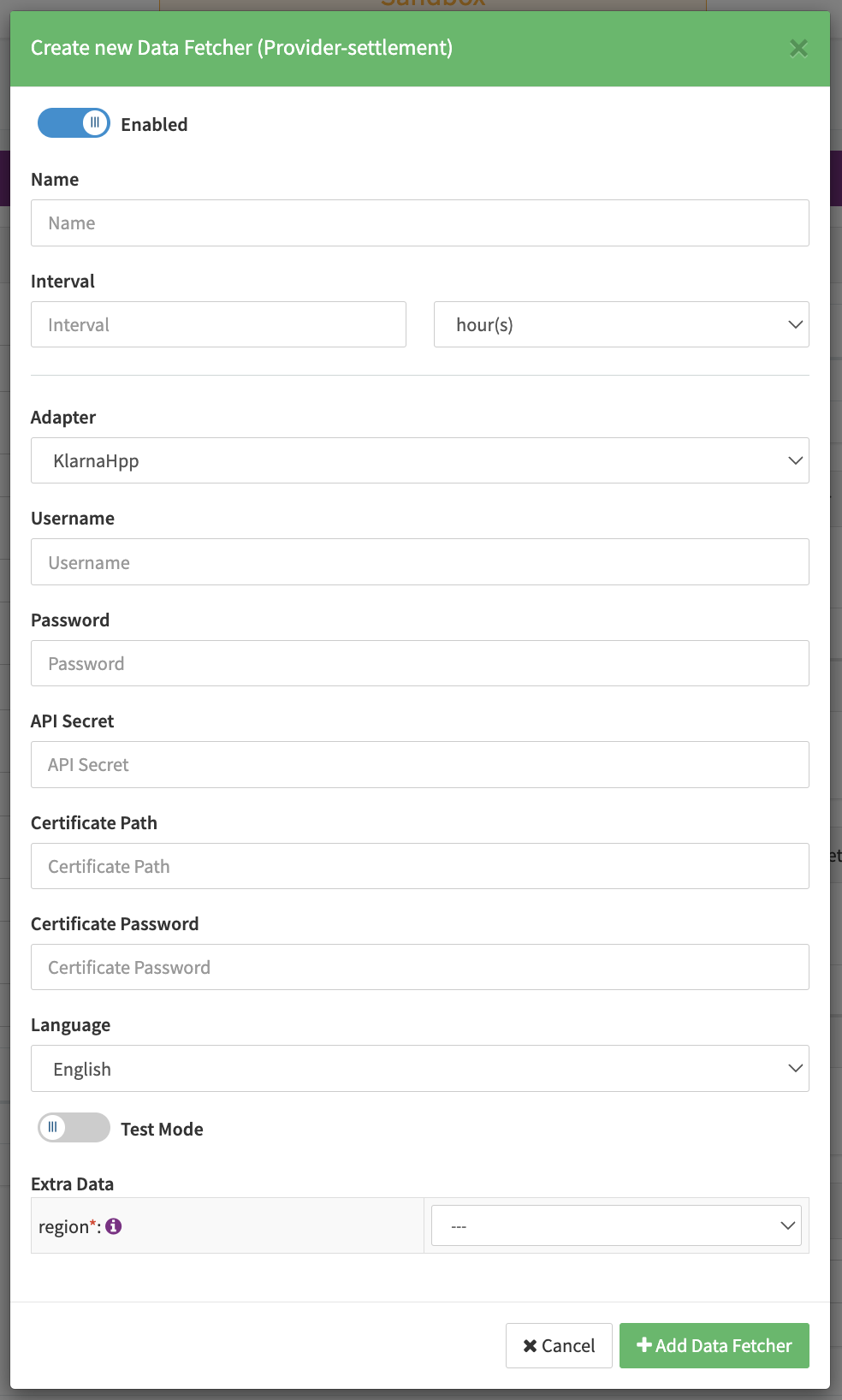
Configure the following Parameters for the Settlements Provider Data Fetcher to fetch Settlement (see https://docs.klarna.com/api/settlements/#operation/getPayouts) via an API (Europe: https://api.klarna.com/; North America: https://api-na.klarna.com/; Oceania: https://api-oc.klarna.com/) (see Edit Provider Settlement Data Fetcher Provider Level):
- Fill in the expected Interval in which the Provider Settlement File should be fetched - days, hours
- Select the Adapter KlarnaWidget, KlarnaHPP
- Enable Testmode to test fetching of Provider Settlements from the Sandbox (Europe: https://api.playground.klarna.com/; North America: https://api-na.playground.klarna.com/; Oceania: https://api-oc.playground.klarna.com/), disabled the Production environments are used
- Fill in the mandatory Extra Data: region - EU, NA, OC; region sets the base-url for the Klarna API
Settlement fields
Batch Number
The batch number is set to payment_reference.
Payment Reference
The payment reference is set to payment_reference.
Mapped Fields
We are mapping the following fields from the Klarna settlement reports (Klarna → IXOPAY platform):
| Provider | IXOPAY platform | default (if not set by Provider) |
|---|---|---|
| merchant_reference1 | transaction Id | none |
| merchant_capture_reference | capture transaction Id | none |
| merchant_refund_reference | refund transaction Id | none |
| order_id | reference Id | none |
| payment_reference | payment reference | none |
| type | transaction type | none |
| payout_date | settlement date | none |
| amount | settlement amount | none |
| currency_code | settlement currency | none |
| detailed_type | fee type (see Fee Mapping Table below) | none |
Fee Mapping Table
| Fee Type | IXOPAY platform | default |
|---|---|---|
| SERVICING_FEE | Gateway fee | Markup fee |
| DISPUTE_FEE_REFUND | Dispute fee | Markup fee |
| DISPUTE_FEE | Dispute fee | Markup fee |