Khipu
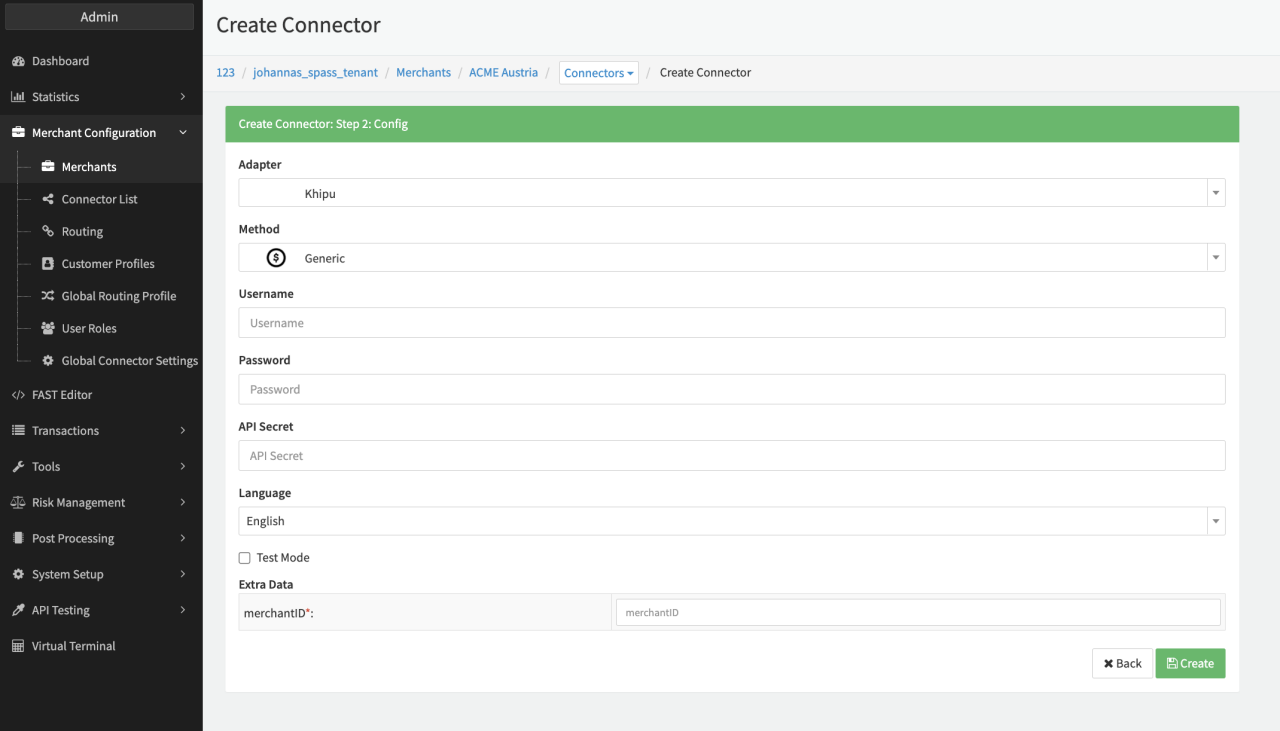
Configure the following parameters for the Connector (see Connector Config - Khipu):
- Fill in the mandatory Username
- Fill in the mandatory Password
- Fill in the mandatory API Secret
- Fill in the mandatory Extra Data: merchantID
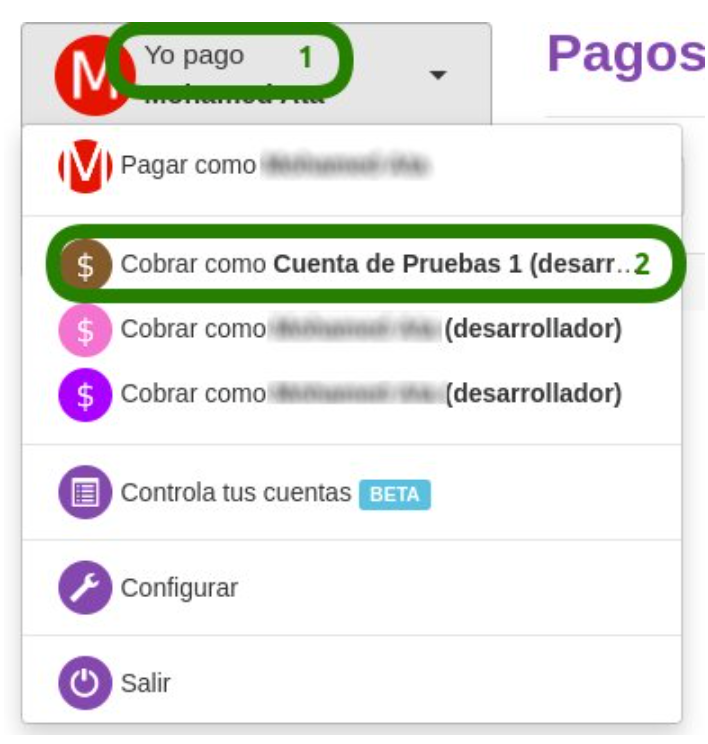
Credentials to configure the Connector can be found in the Khipu Dashboard (khipu.com/dashboard)
- On the top left menu click on "Yo pago" (1) and select your merchant "Cobrar como <YOUR MERCHANT>" (2)
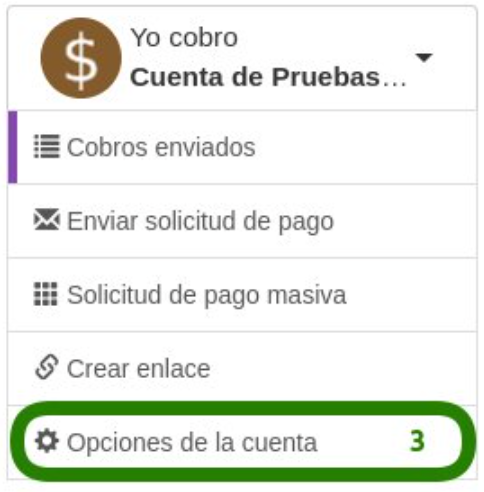
- On the following page select "Opciones de la cuenta" (3)
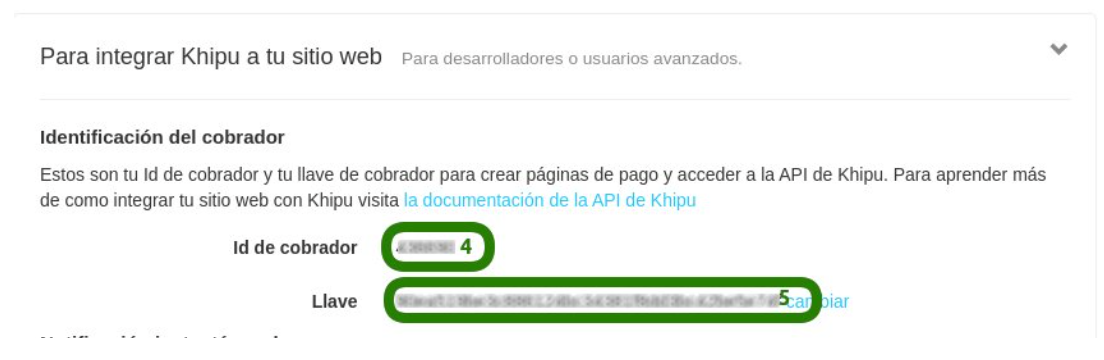
- On the next page you can find your credentials under "Para integrar Khipu a tu sitio web"
- "Id de cobrador" is the merchantId (4)
- "Llave" is your API Key (5)
Data Fetcher Configuration
You have the option to configure Data Fetchers (see section Provider) either on Provider or on Connector Level, depending on which setup works better for your provider.
Provider Settlement
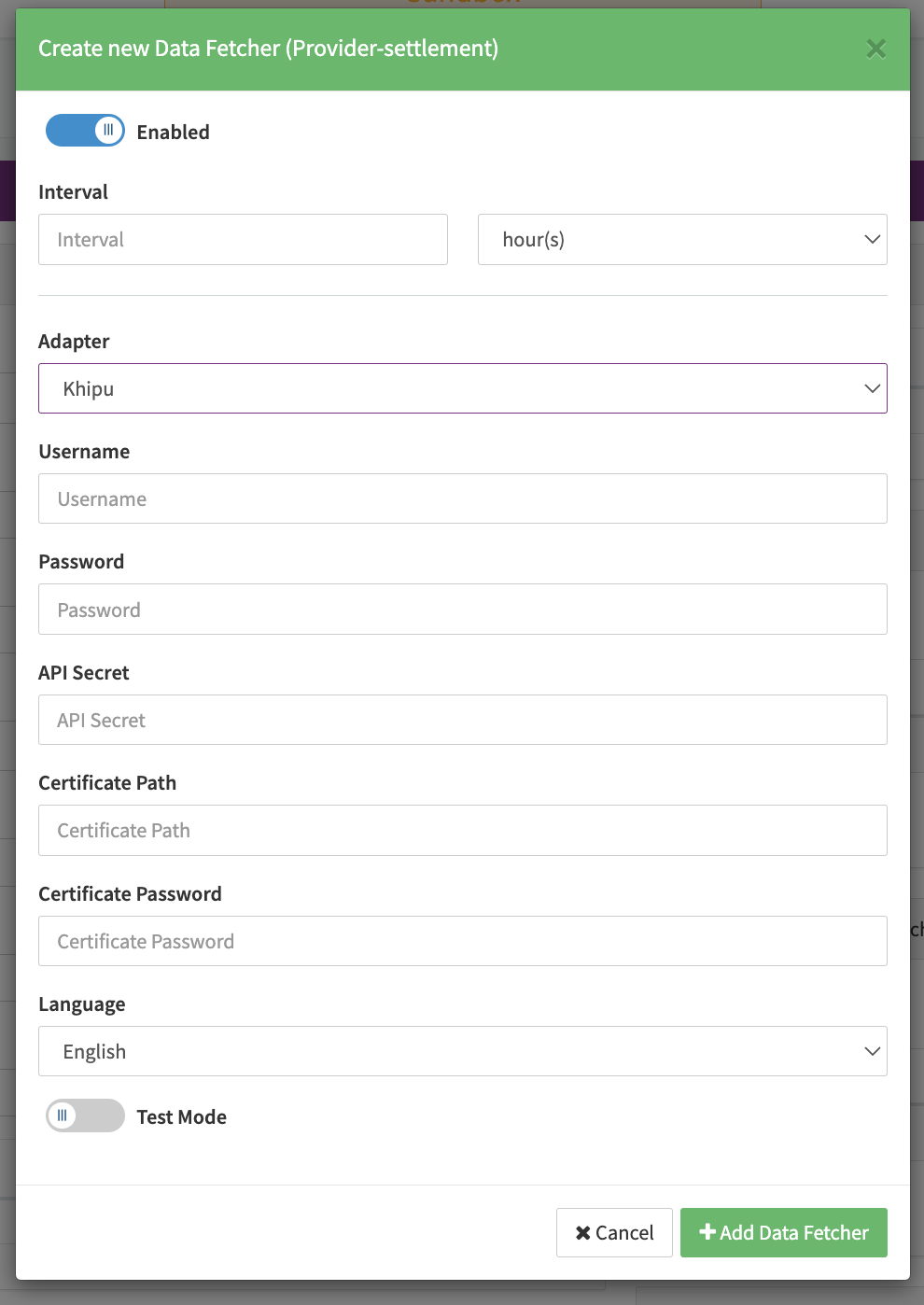
Configure the following Parameters for the Settlements Provider Data Fetcher to fetch surrender reports (json format) via WebService Notifications(see Edit Provider Settlement Data Fetcher Provider Level):
- Fill in any Interval — days, hours. This setting is irrelevant for the Data Fetcher, since the Data Fetcher will listen for notifications (see Khipu Account Configurations)
- Select the Adapter Khipu
- Fill in the mandatory Merchant Identifier
- Enable Testmode when using an account in developer mode
Khipu Account Configurations
Before enabling the Data Fetcher for Provider Settlements you must configure notifications in your Khipu account. Go to "Account Options" > "To integrate Khipu to your website" and add the URL where the Data Fetcher will listen for notifications in the "Instant Surrender Notification" section.
Depending on the environment for which you are configuring the notifications use the following URL structure with the Data Fetcher ID created in the IXOPAY platform:
- Sandbox:
https://sandbox.ixopay.com/api/dataFetcher/DATA_FETCHER_ID/notification - Production:
https://gateway.ixopay.com/api/dataFetcher/DATA_FETCHER_ID/notification