HypYaad
Creditcard
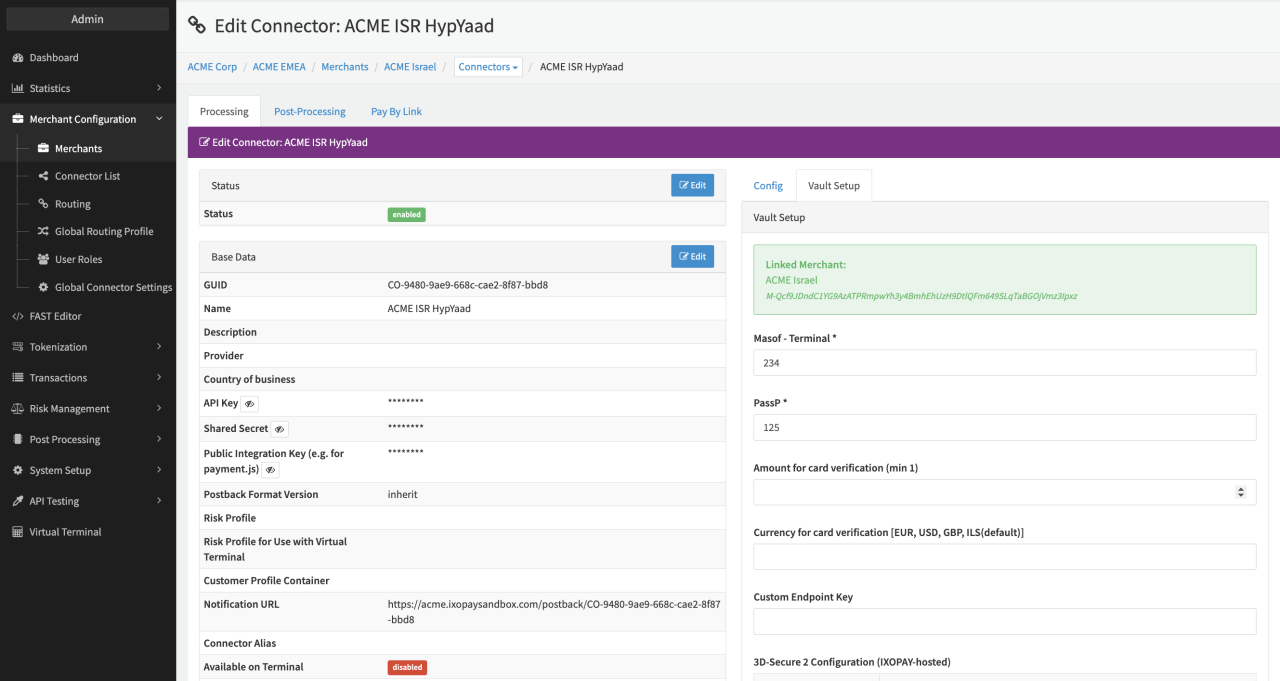
Configure the following parameters for the Connector (see Connector Detail Overview - HypYaad Creditcard - Vault Configuration):
- Fill in the mandatory Masof - Terminal *
- Fill in the mandatory PassP *
- Fill in the optional Amount for card verification (min 1)
- Fill in the optional Currency for card verification [EUR, USD, GBP, ILS(default)]
- Fill in the mandatory Custom Endpoint Key
Data Fetcher Configuration
You have the option to configure Data Fetchers (see section Enable and Set Up Reconciliation on the Provider Level) either on Provider or on Connector Level, depending on which setup works better for your provider (see Edit Provider).
Provider Settlement
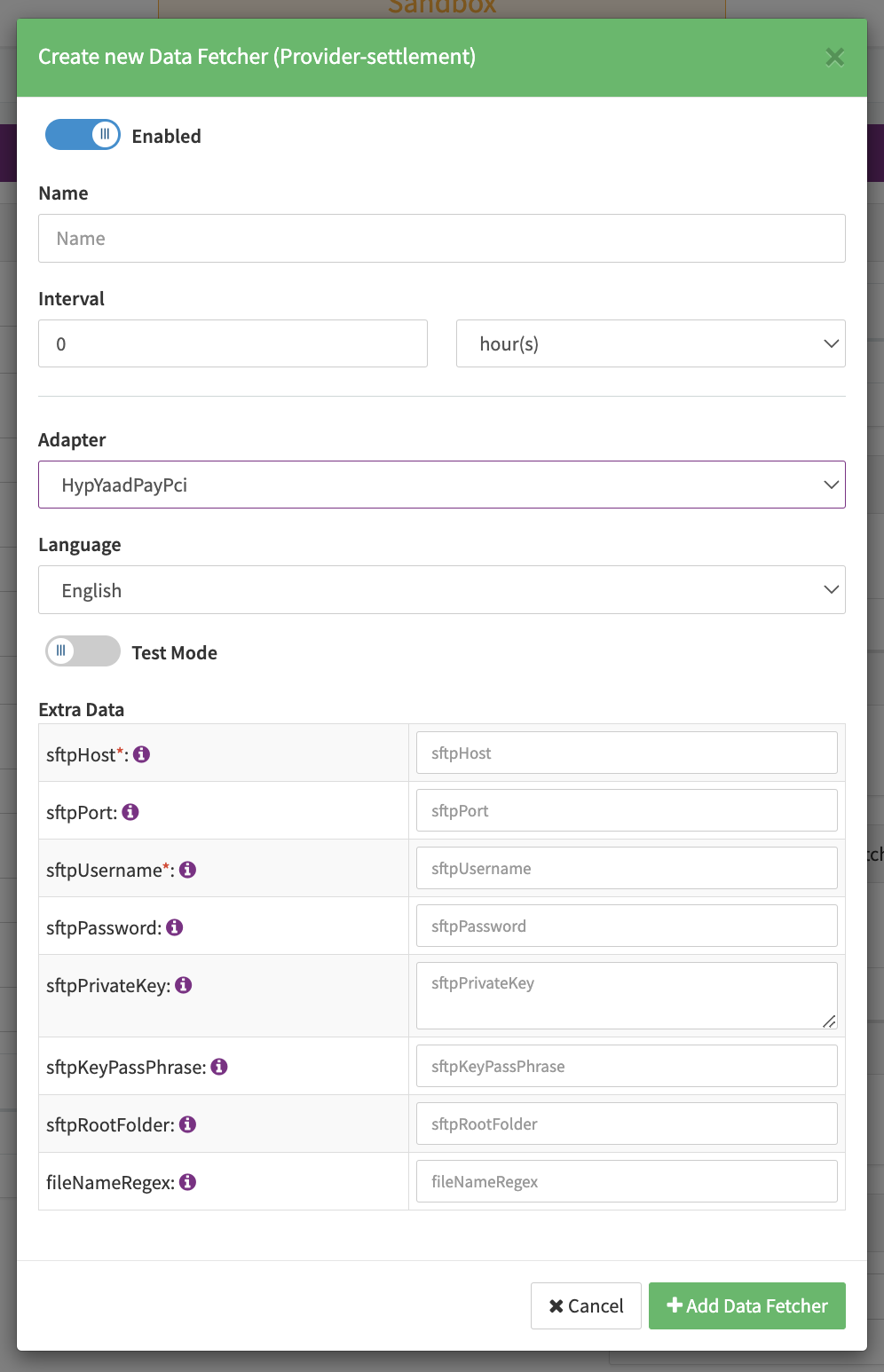
Configure the following Parameters for the Settlements Provider Data Fetcher to fetch Settlement (Settlement_ILADC_YYYYMMDD_batchNo: csv format) via an SFTP (see Edit Provider Settlement Data Fetcher Provider Level):
- Fill in the option Name
- Fill in the expected Interval in which the Provider Settlement File should be fetched - days, hours
- Select the Adapter HypYaadPayPci
- Enable Testmode is irrelevant for this adapter
- Fill in the mandatory Extra Data: sftpHost used for authentication
- Fill in the optional Extra Data: sftpPort default port is 22
- Fill in the mandatory Extra Data: sftpUsername used for authentication
- Fill in the optional Extra Data: sftpPassword used for authentication
- Fill in the optional Extra Data: sftpPrivateKey used for authentication
- Fill in the optional Extra Data: sftpPassPhrase used for authentication
- Fill in the optional Extra Data: sftpRootFolder default folder is
/ - Fill in the optional Extra Data: fileNameRegex default file name pattern is
^Settlement_ILADC_.*\.csv$and allows for all files starting withSettlement_ILADC_and ending with.csvto be fetched from the SFTP. This will also ignore all.csv.donefiles (already retrieved files)
Settlement fields
Batch Number
Received from settlement file if possible (if file format is indeed Settlement_ILADC_YYYYMMDD_batchNo.csv).
If the file format differs, the date/time of the settlement retrieval will be taken as batch number.
Payment Reference
Not mapped.
Mapped Fields
We are mapping the following fields from the "PSP_Name" settlement reports ("PSP_Name" → IXOPAY platform):
| Provider | IXOPAY platform | default (if not set by Provider) |
|---|---|---|
| Invoice_Date | transaction settlement date | date time of processing |
| Transaction_Currency_Name | transaction settlement currency | none - required |
| Gross_Credit_Sum | transaction settlement amount | none - required |
| Fee_Sum | Transaction fee of type markup | None (fee currency taken from settlement currency) |
| VAT_Sum | Transaction fee of type markup-vat | None (fee currency taken from settlement currency) |
| Shva_Transaction_ID (UID) | Transaction secondary adapter tx ID for mapping | None - required |