Hipay
Hipay
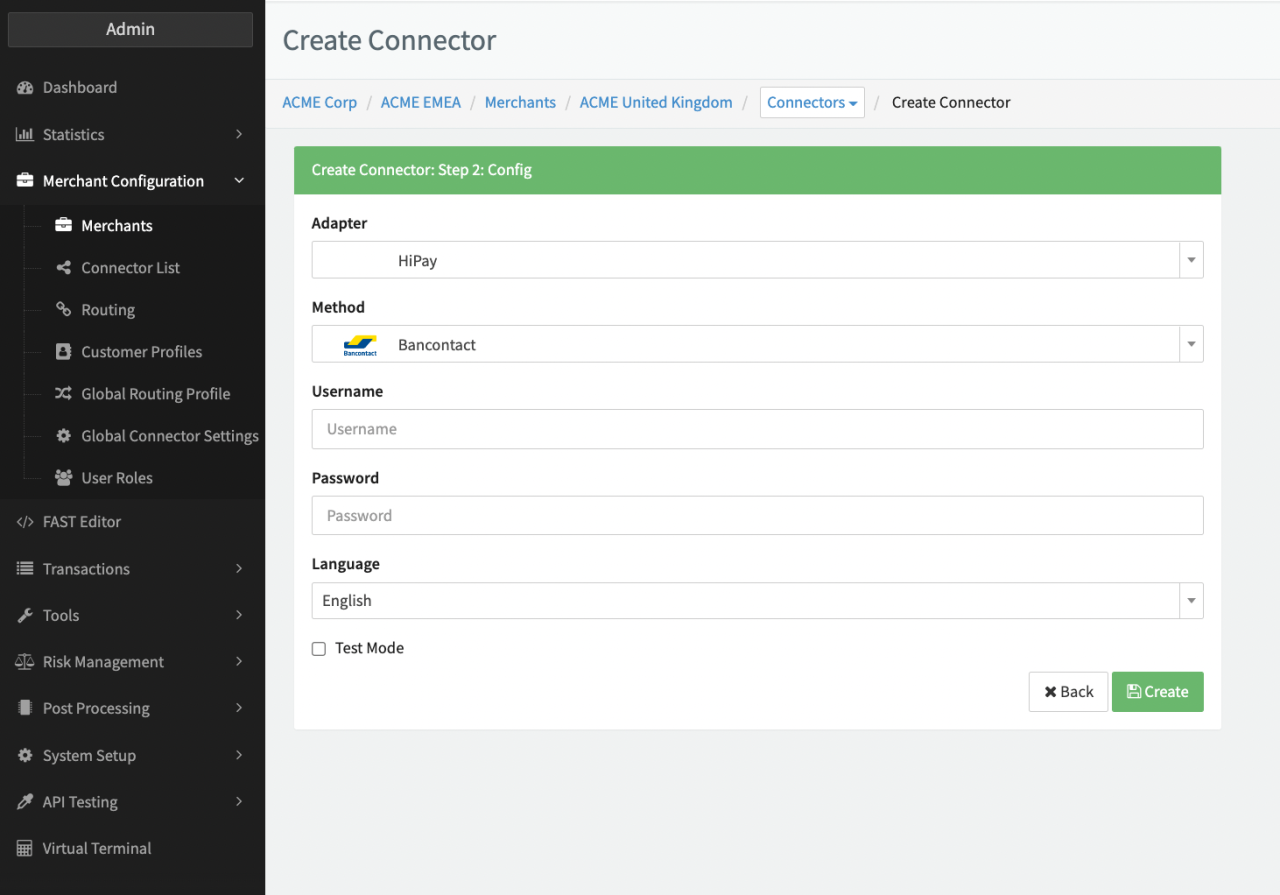
Configure the following parameters for the Connector (see Connector Config - Hipay):
- Fill in the mandatory Username
- Fill in the mandatory Password
- Select the Language
- Check option the Test Mode
Additional information can be found in the Adapter-specific API Documentation.
Set up Notifications
Set up Notifications in order to receive up to date transaction status information.
Find more information about setting up Server-to-Server Notifications here: https://developer.hipay.com/payment-fundamentals/requirements/notifications
- Login into your HiPay Enterprise back office
- Navigate to Integration > Notifications
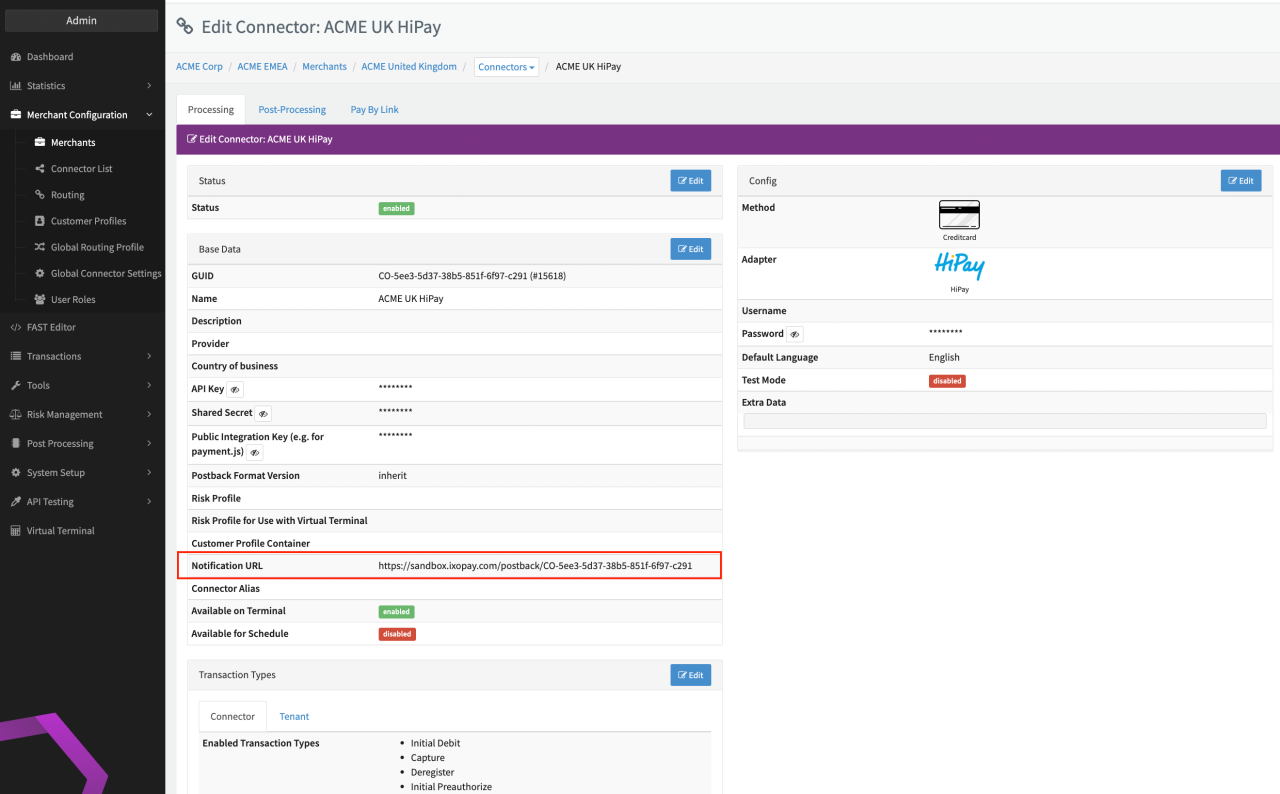
- Configure the Notification URL (see Connector Detail Overview), Request method HTTP Post and the Desired notifications