E-Comprocessing
EComprocessing Creditcard
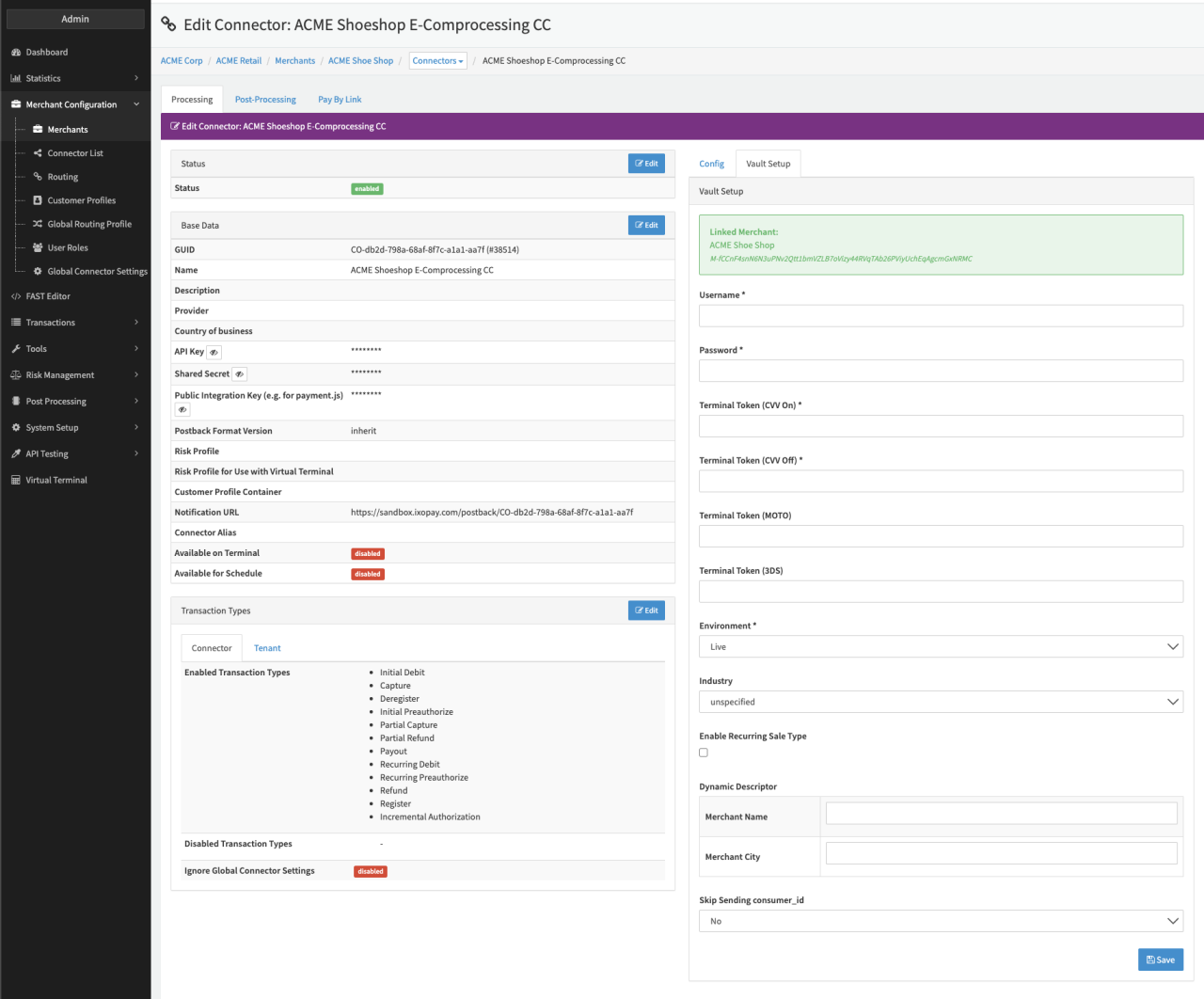
Configure the following parameters for the Connector (see Connector Detail Overview - E-Comprocessing - Vault Configuration):
- Fill in the mandatory Username
- Fill in the mandatory Password
- Fill in the mandatory Terminal Token (CVV On)
- Fill in the mandatory Terminal Token (CVV Off)
- Fill in the mandatory Terminal Token (MOTO)
- Fill in the mandatory Terminal Token (3DS)
- Select the mandatory Environment — Live, Staging
- Select the Industry - unspecified, gaming, crypto
- Check the option to Enable Recurring Sale Type
- Fill in the Dynamic Descriptor
- Fill in the Merchant Name
- Fill in the Merchant City
- Select the optional Skip Sending consumer_id — No, Yes