Ecommpay
Ecommpay Creditcard
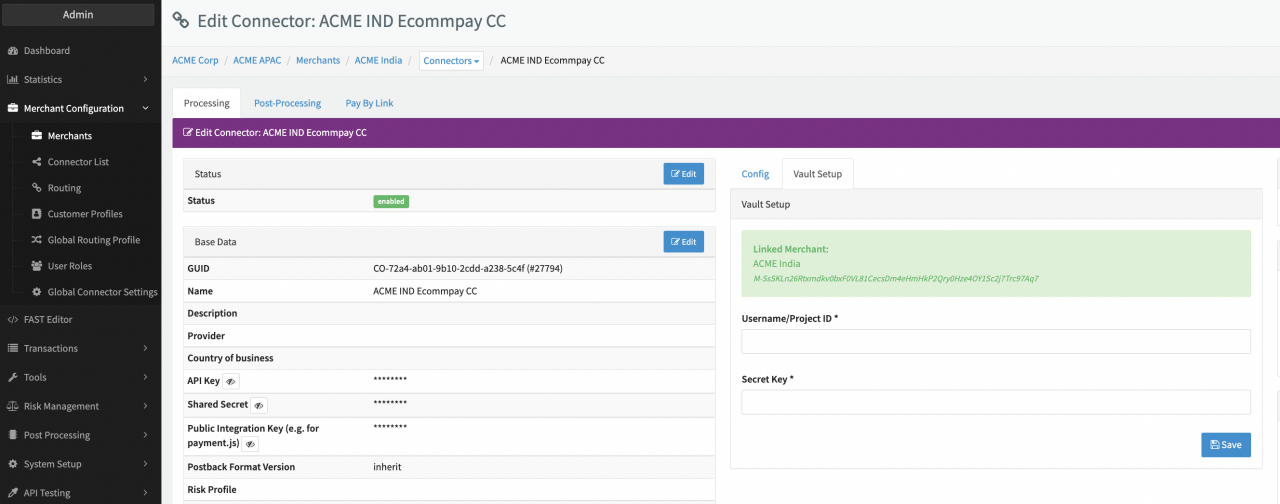
Configure the following parameters for the Connector (see Connector Detail Overview - Ecommpay - Vault Configuration):
- Fill in the mandatory Username/Project ID
- Fill in the mandatory Secret Key
Ecommpay
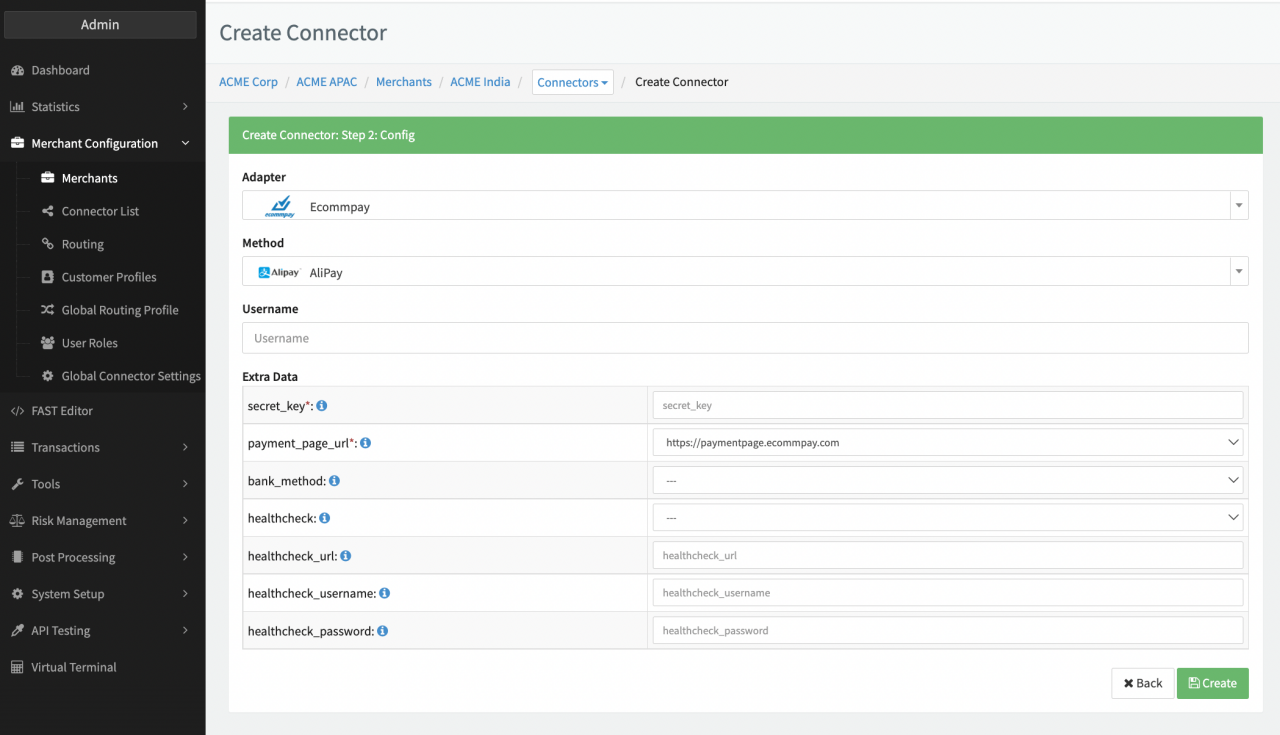
Configure the following parameters for the Connector (see Connector Config):
- Fill in the mandatory Username — Merchant Username
- Fill in the mandatory Extra Data: secret_key — unique ID for authentication provided by PSP
- Fill in the mandatory Extra Data: payment_page_url — URL for merchant’s payment page.
- Select the mandatory Extra Data: bank_method — Bank of Indonesia, Banks of Malaysia, Banks of the Philippines, Banks of Korea, Banks of Thailand, Thailand QR banking, Banks of Vietnam, Vietnamese QR banking
- Select the mandatory Extra Data: healthcheck true, false. Using ECommpays Healthcheck System is required for some payins.
- Fill in the Extra Data: healthcheck_url — Healthcheck URL without
https:// - Fill in the Extra Data: healthcheck_username
- Fill in the Extra Data: healthcheck_password
Webhooks
Notifications
Ecommpay payment platform supports a capability of sending notifications to inform customers about various events related to processing of their payments. As a rule, these notifications contain information about operation processing results; however, depending on the needs of the merchant, notifications can inform customers about other events, for example, an e-wallet registration as part of processing a payment request or an update of the COF purchase's terms.
Notifications are sent if the following conditions are met:
- Sending notifications has been set up for the project in question.
- The email of the customer has been passed to the payment platform (either in the initial request to perform a payment or in the clarification request).
- The event that triggers sending of notifications has occurred.