Doku
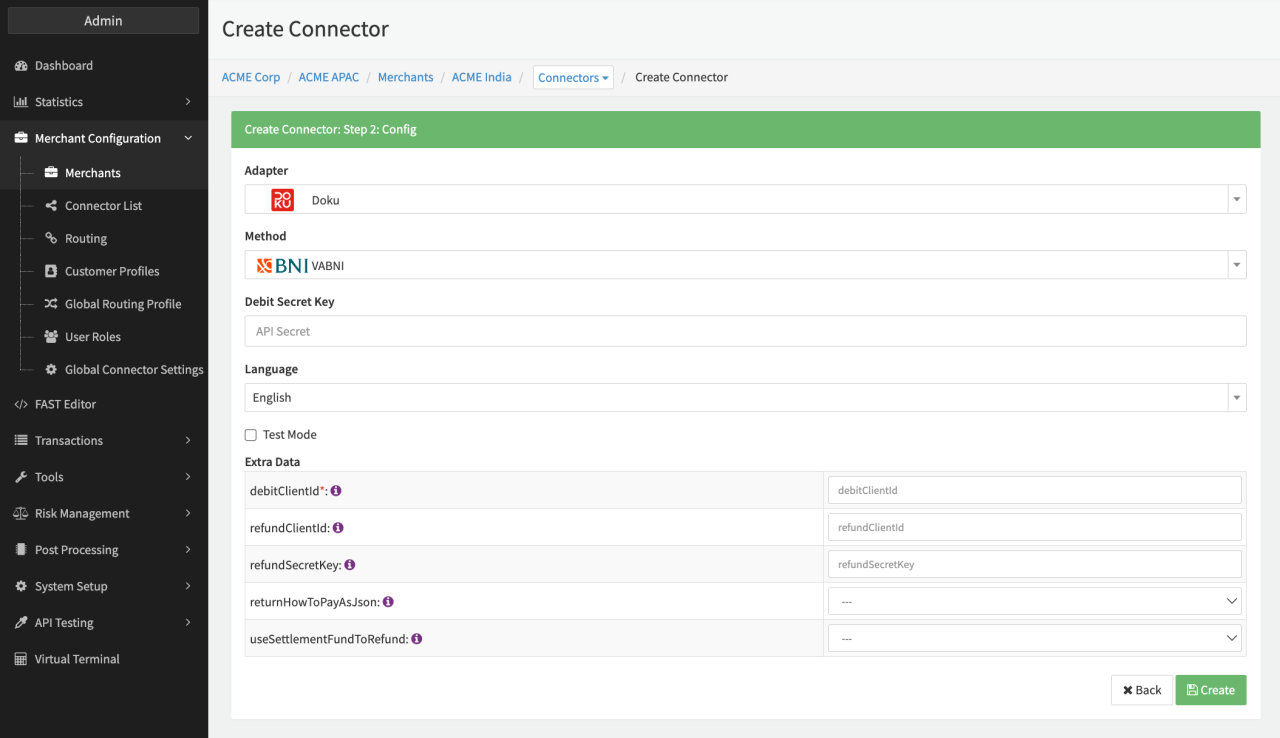
Configure the following parameters for the Connector (see Connector Config - Doku):
- Fill in the mandatory Debit Secret Key — mandatory credentials for debit tx
- Fill in the mandatory Extra Data: debitClientId — mandatory credentials for debit tx
- Fill in the mandatory Extra Data: refundClientId — mandatory when using Doku refund API
- Fill in the mandatory Extra Data: refundSecretKey — mandatory when using Doku refund API
- Select the Extra Data: refundHowToPayAsJson — true, false (after initiating a debit transaction, instead of a redirect to the Doku How to pay page, the (how to pay api) data will be returned in JSON format)
- Select the Extra Data: useSettlementFundToRefund — true, false (in case the merchant wants to refund the settlement fund to refund the transaction. If selected the extraData.original_transaction_date must be submitted - see adapter-specific API documentation)
Creditcard
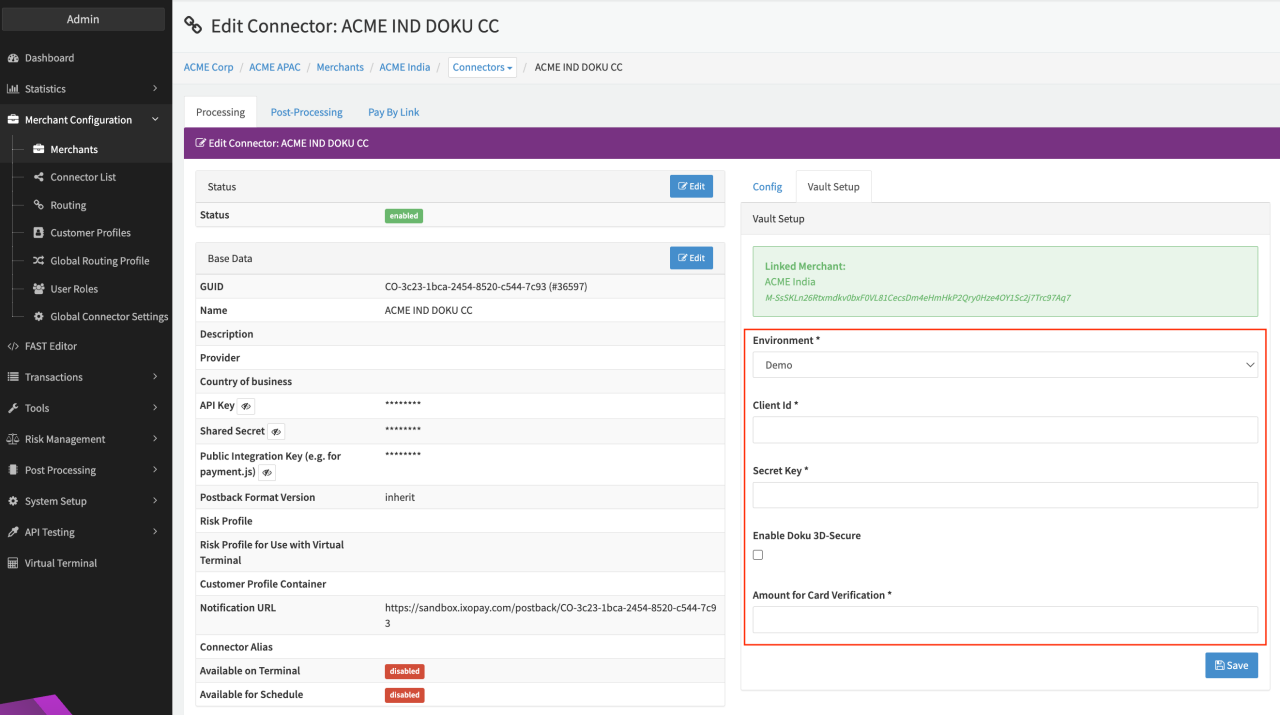
Configure the following parameters for the Connector (see Connector Detail Overview - Doku Creditcard - Vault Configuration):
- Select the mandatory Environment: Demo, Live
- Fill in the mandatory Client ID — obtained from the DOKU Back Office
- Fill in the mandatory Secret Key — obtained from the DOKU Back Office
- Fill in the mandatory Amount for Card Verification — minimum amount required for card registration
Data Fetcher Configuration
You have the option to configure Data Fetchers (see section Enable and Set Up Reconciliation on the Provider Level) either on Provider or on Connector Level, depending on which setup works better for your provider.
Provider Settlement
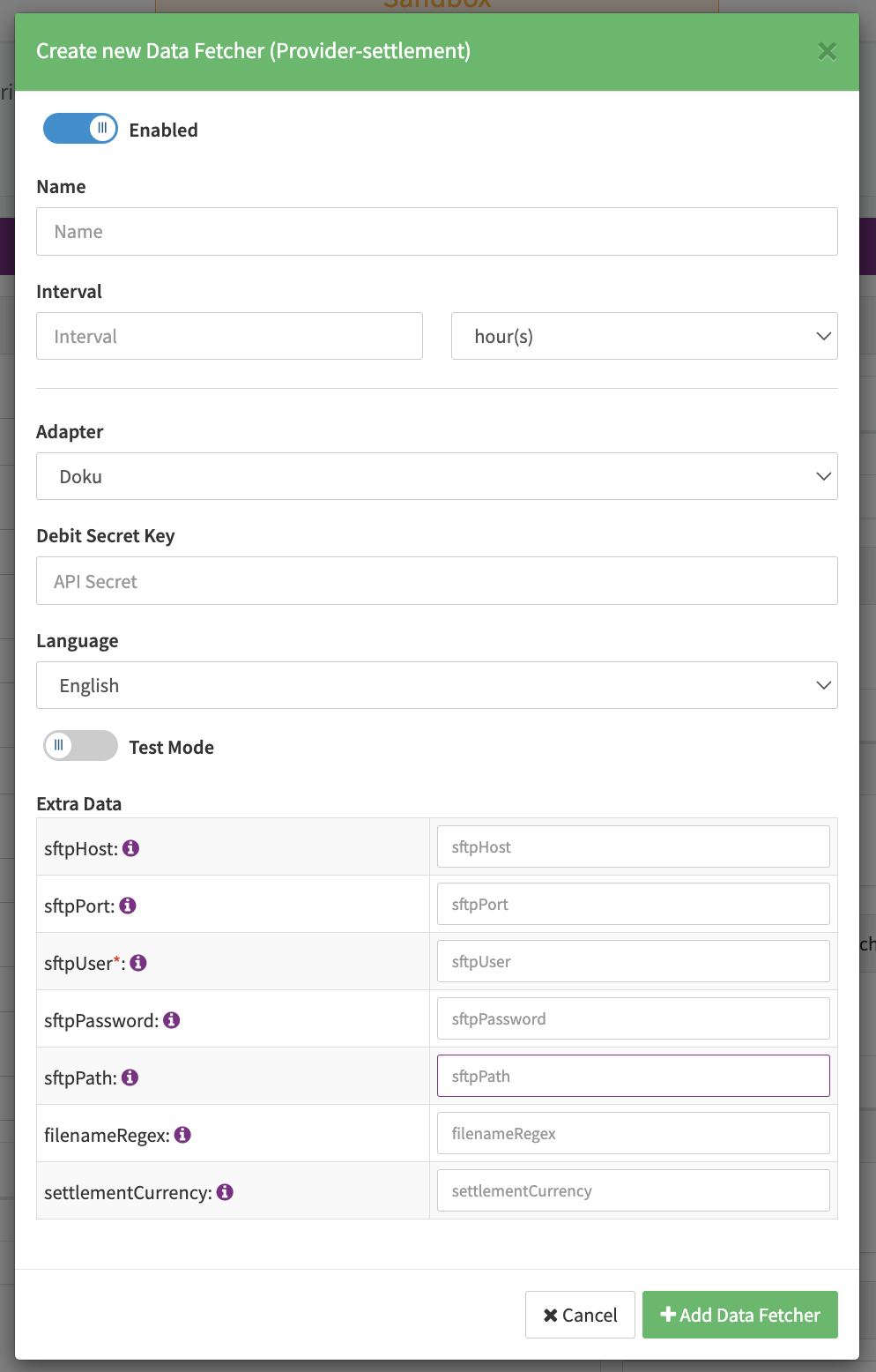
Configure the following Parameters for the Settlements Provider Data Fetcher to fetch Settlement (csv format) via SFTP (see Edit Provider Settlement Data Fetcher Provider Level):
- Fill in the optional Name for the Data Fetcher
- Fill in the expected Interval in which the Provider Settlement File should be fetched - days, hours
- Select the Adapter Doku
- The Setting Testmode is irrelevant for this adapter
- Fill in the optional Extra Data: sftpHost used to connect to the SFTP server
- Fill in the optional Extra Data: sftpPort used to connect to the SFTP server
- Fill in the mandatory Extra Data: sftpUser used for authentication
- Fill in the optional Extra Data: sftpPassword used for authentication
- Fill in the optional Extra Data: sftpPath path on the SFTP Server where the files are available
- Fill in the optional Extra Data: filenameRegex to determine the file names to be fetched
- Fill in the optional Extra Data: settlementCurrency used to specify the used settlement currency