Diners
Creditcard
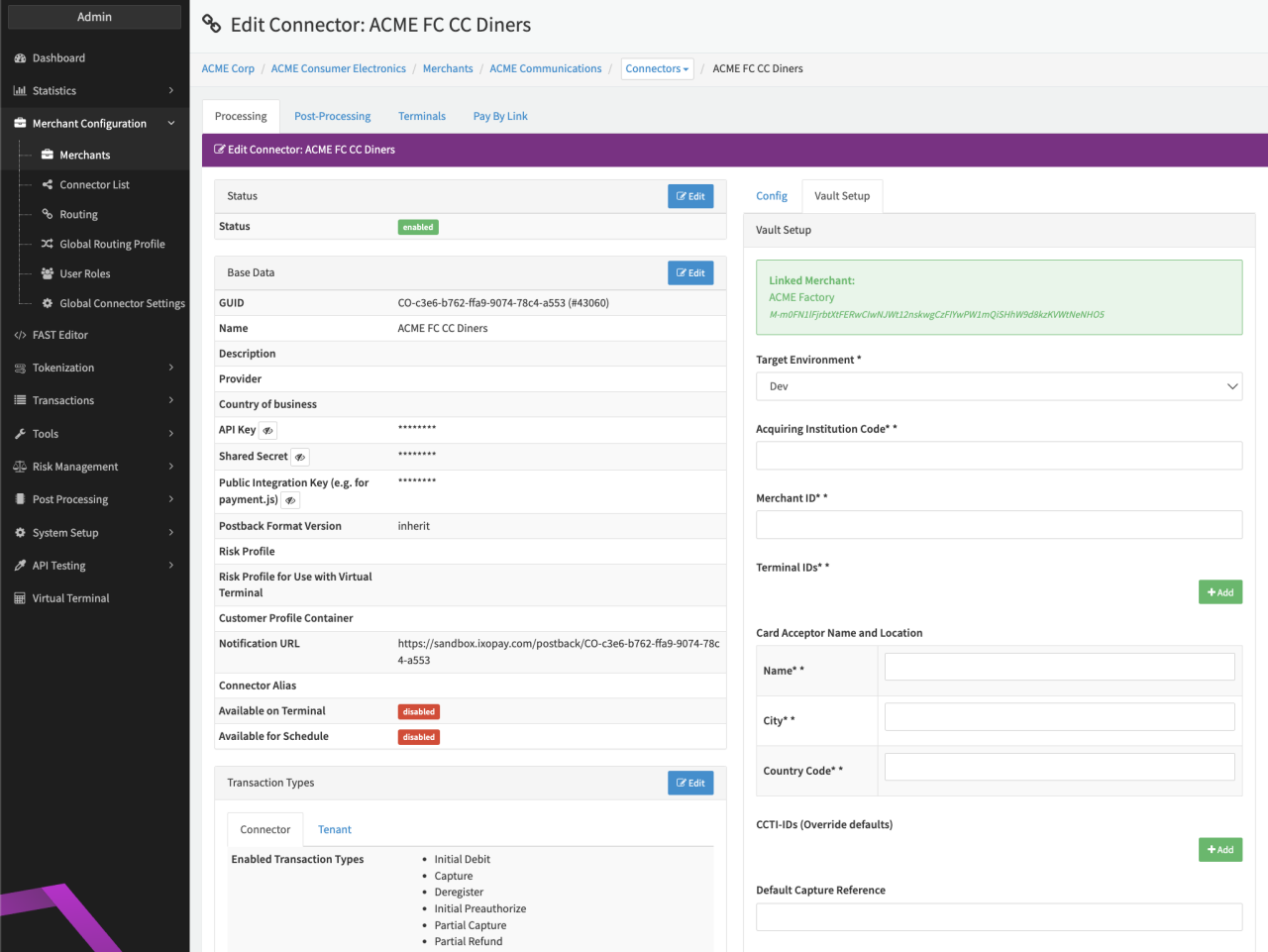
Configure the following parameters for the Connector (see Connector Detail Overview - Diners Creditcard - Vault Configuration):
- Select the mandatory Target Environment: Dev, Production
- Fill in the mandatory Acquiring Institution Code:
- Fill in the mandatory Merchant ID
- Fill in the mandatory Terminal IDs
- Select + Add and enter the Terminal ID
- Fill in the parameters for the Card Acceptor Name and Location
- Fill in the mandatory Name — 1-25 characters
- Fill in the mandatory City — 1-13 characters
- Fill in the mandatory Country Code — two-character, uppercase, alphabetic string (ISO 3166-1 alpha-2 code)
- Add CCTI-IDs (Override defaults)
- Select + Add and enter the Scheme and corresponding CCTI-ID
- Fill in the Default Capture Reference