Dimoco
Creditcard / EPS
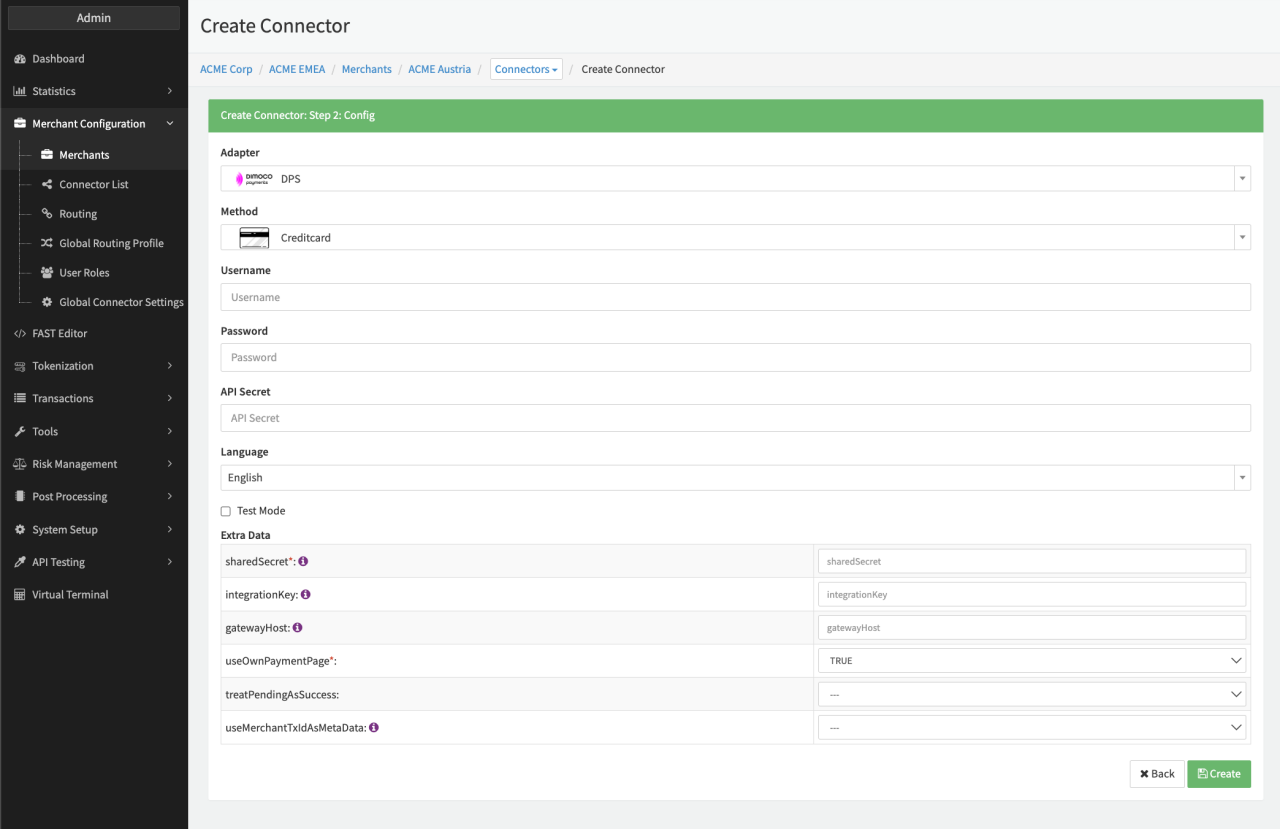
Configure the following parameters for the Connector (see Connector Config - Dimoco Creditcard):
- Fill in the mandatory Username
- Fill in the mandatory Password
- Fill in the mandatory API Secret
- Fill in the mandatory Extra Data: sharedSecret
- Fill in the mandatory Extra Data: integrationKey
- Fill in the mandatory Extra Data: gatewayHost
- Select the Extra Data: useOwnPaymentPage — True, False
- Select the optional Extra Data: treatPendingAsSuccess — True, False
- Select the optional Extra Data: useMerchantTxIdAsMetaData — True, False
Carrier Billing
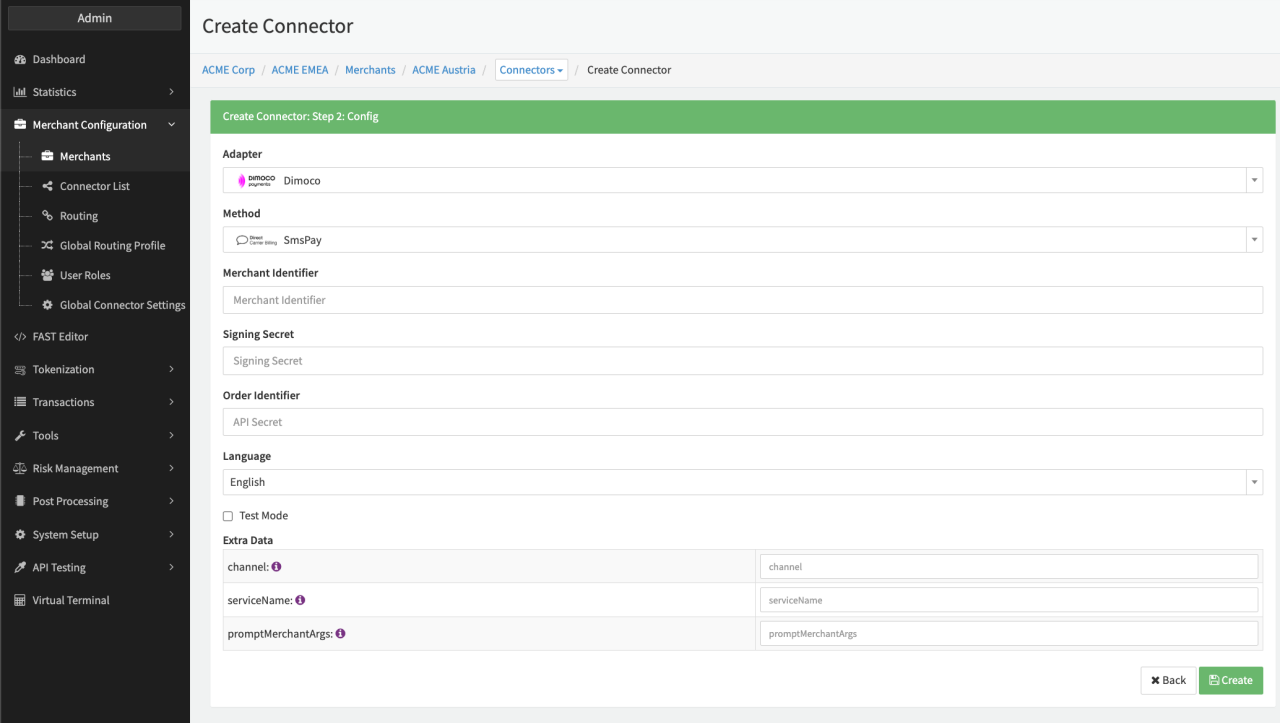
Configure the following parameters for the Connector (see Connector Config - Dimoco Carrier Billing):
- Fill in the mandatory Merchant Identifier — Unique identifier of the merchant provided by PSP
- Fill in the mandatory Signing Secret — shared secret received from the PSP to sign each API request
- Fill in the mandatory Extra Data: channel —
end user authorization technique (for certain flow variants, this parameter is ignored)- one of:
- web
- wap
- sms
- Fill in the mandatory Extra Data: serviceName Name of the service as it will possibly be presented to the end user within payment-pages, invoice lines, etc.
- Fill in the mandatory Extra Data: promptMerchantArgs — (JSON-format) Link to merchant's logo. The JSON object shall contain a logo element with img and alt properties that will be embedded in the user prompt pages.