Coingate
Handling Remote Refund
If a remote Refund notification from Coingate is sent to the IXOPAY platform, then as a default setting, the regarding Transaction is flagged as conflicted.
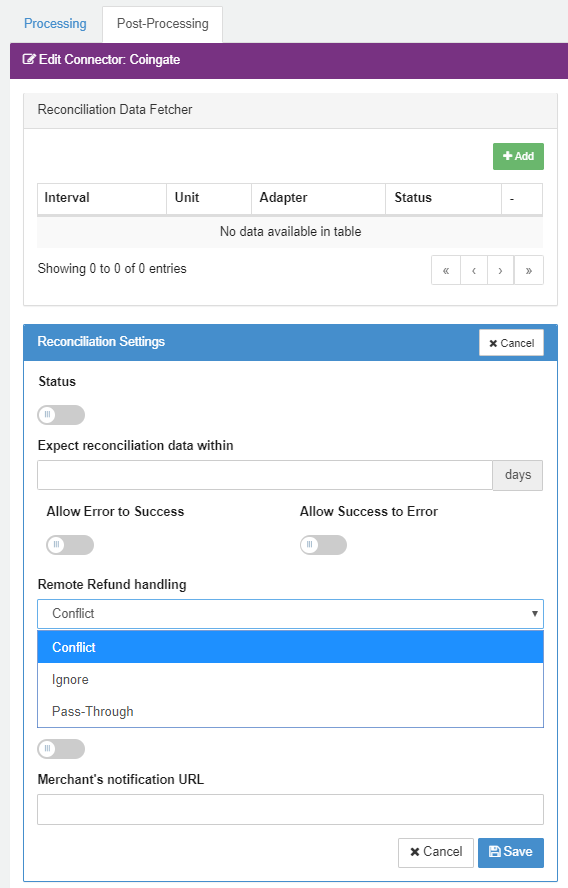
You can change this behavior in the Connector "Edit View", in Tab "Post-Processing" → "Reconciliation Settings" → "Edit" → "Remote Refund Handling" like shown on screenshot below:
Following options are available for the Remote Refund handling:
- Conflict: Default behavior → Mark the related Transaction to conflicted
- Ignore: Ignore the incoming remote Refund
- Pass-Through: Set the original Transaction to conflicted, additionally create immediately the related Refund in the IXOPAY platform