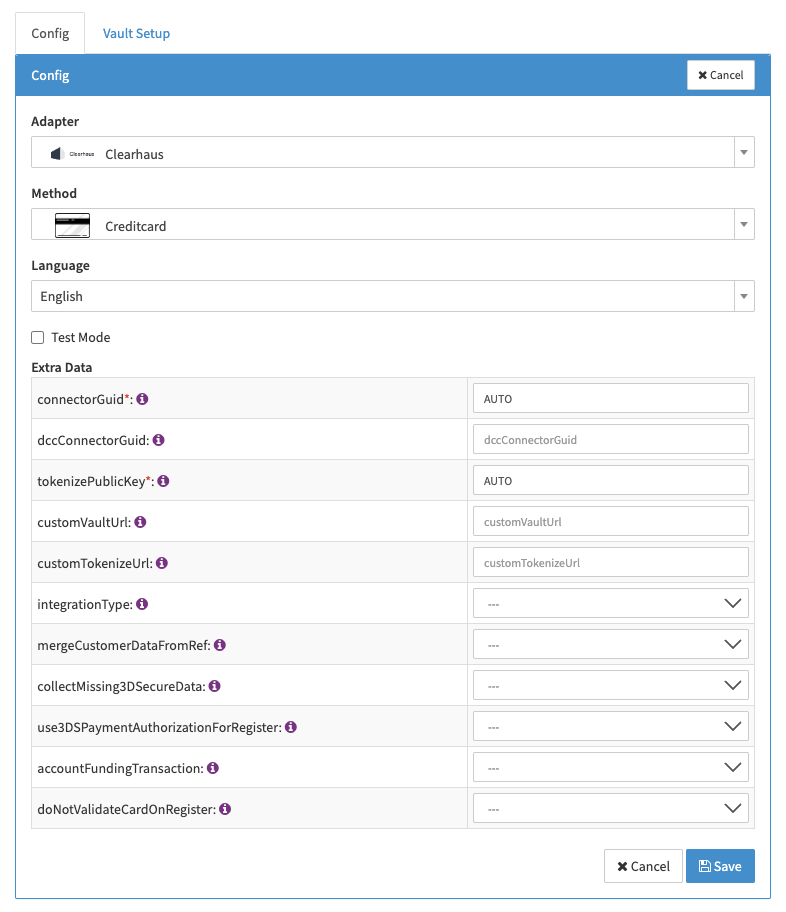
Clearhaus
Creditcard
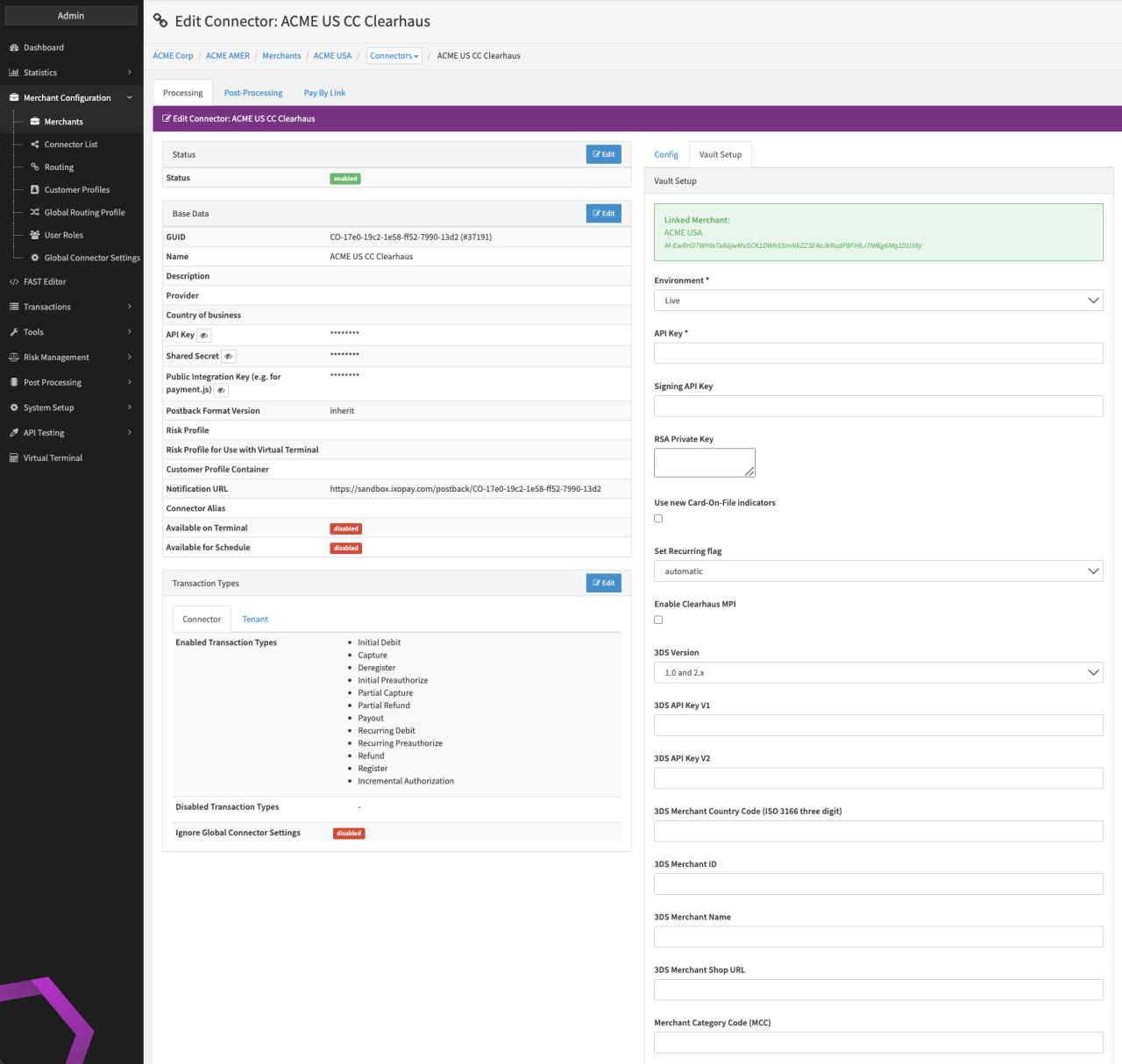
Configure the following parameters for the Connector (see Connector Detail Overview - Clearhaus Creditcard - Vault Configuration):
- Select the mandatory Environment: Test, Live
- Fill in the mandatory API Key
- Fill in the mandatory Signing API Key
- Fill in the mandatory RSA Private Key
- Enable the option to Use new Card-On-File indicators
- Set Recurring flag - automatic, Never, if TX indicator is initial or recurring
- Enable Clearhaus MPI
- Select the 3DS Version — 1.0 and 2.x, only 1.0, only 2.x
- Fill in the mandatory 3DS API Key V1
- Fill in the mandatory 3DS API Key V2
- Fill in the mandatory 3DS Merchant Country Code (ISO 3166 three digit)
- Fill in the mandatory 3DS Merchant ID
- Fill in the mandatory 3DS Merchant Name
- Fill in the mandatory 3DS Merchant Shop URL
- Fill in the mandatory Merchant Category Code (MCC)
tip
In case you want to flag transaction as Account Funding Transaction, select the connector Extra Data: accountFundingTransaction to true.