BitPay
If you want to use this adapter, please contact your Customer Success Manager directly, or contact our Support Team in the IXOPAY Customer Experience Portal.
Configuration
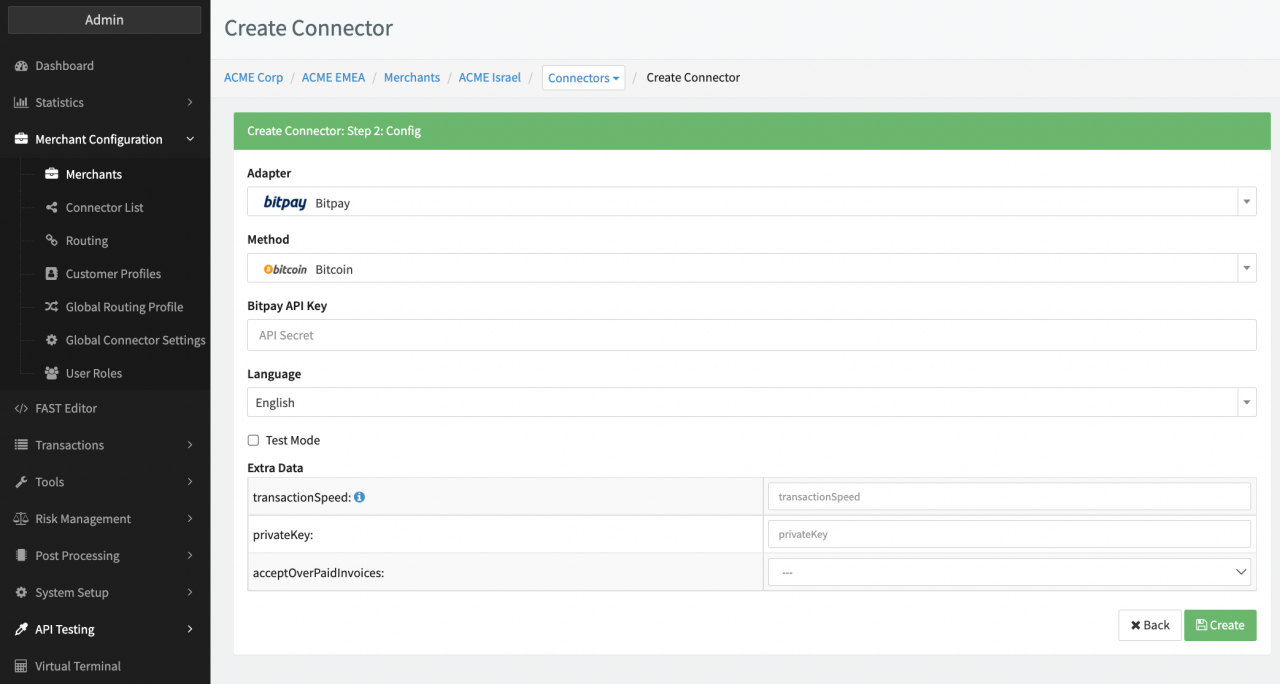
Configure the following parameters for the Connector (see Connector Config):
- Fill in the Extra Data transactionSpeed —
This is a risk mitigation parameter for the merchant to configure how to fulfill orders depending on the number of
block confirmations for the transaction made by the consumer on the selected cryptocurrency.
- high: The invoice is marked as "confirmed" by BitPay as soon as full payment is received but not yet validated on the corresponding blockchain. The invoice will go from a status of "new" to "confirmed", bypassing the "paid" status. If you want an immediate notification for a payment, you can use the high speed setting. However, it makes you more susceptible to receiving fraudulent payments, so it is not recommended.
- medium: (Recommended for most merchants) The invoice is marked as "confirmed" after the transaction has received basic confirmation on the corresponding blockchain. For invoices paid in Bitcoin (BTC), this means 1 confirmation on the blockchain which takes on average 10 minutes. The invoice will go from a status of "new" to "paid" followed by "confirmed" and then "complete"
- low: The invoice is marked as "confirmed" once BitPay has credited the funds to the merchant account. The invoice will go from a status of "new" to "paid" followed by "complete", thus bypassing the "confirmed" status. For invoices paid in Bitcoin (BTC), this means 6 confirmations on the blockchain which takes on average an hour
- Fill in the Extra Data privateKey — Client private Key, generated and delivered by Bitpay.
- Select the Extra Data acceptOverPaidInvoices — true, false
Leave the Bitpay API Key empty (see BitPay Pairing)
Orders are only credited to your BitPay Account Summary for settlement after the invoice reaches the status "complete" (regardless of the transactionSpeed setting).
Webhooks
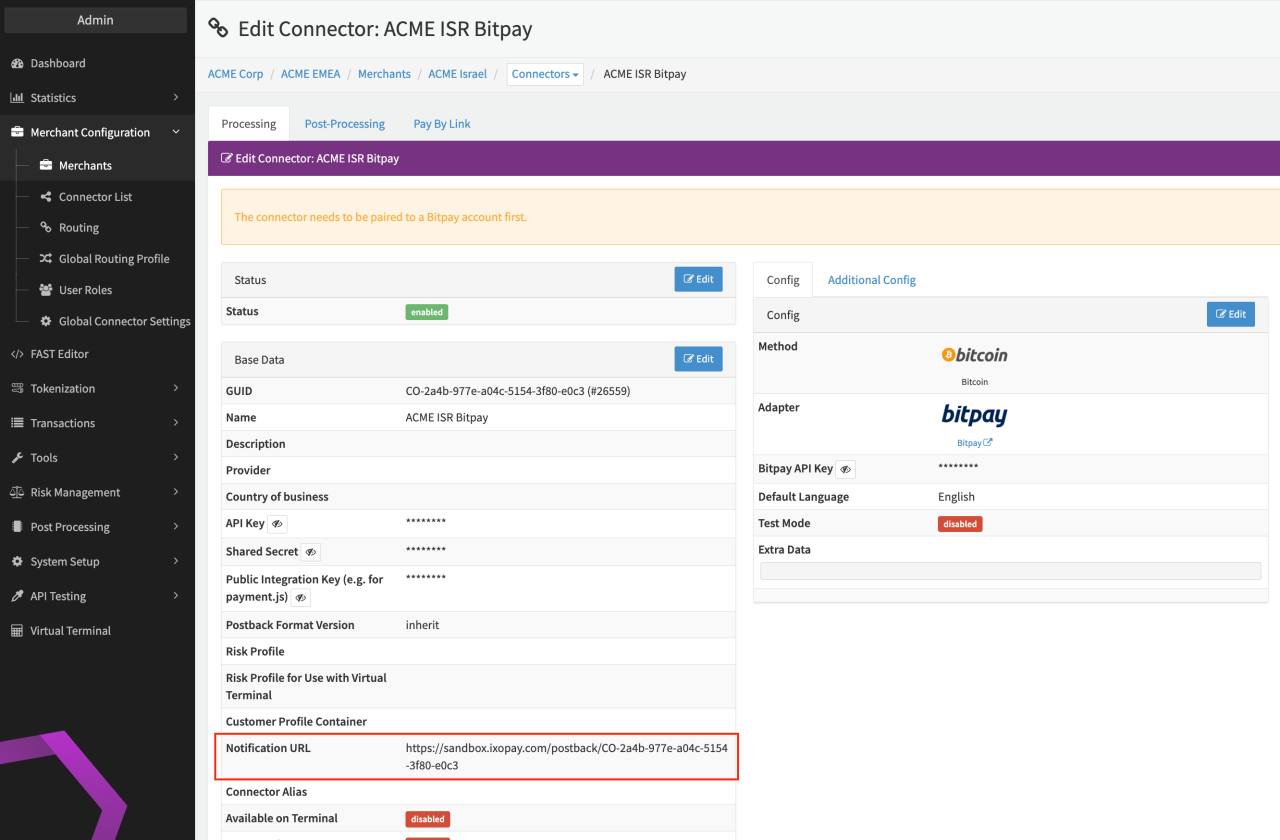
The only webhook available at the moment is the Instant Payment Notification (IPN). The primary purpose of an IPN is to alert the merchant’s e-commerce server that the status of a BitPay invoice has changed.
IPNs are sent to the Notification URL provided by merchants when creating the invoice.
BitPay Pairing
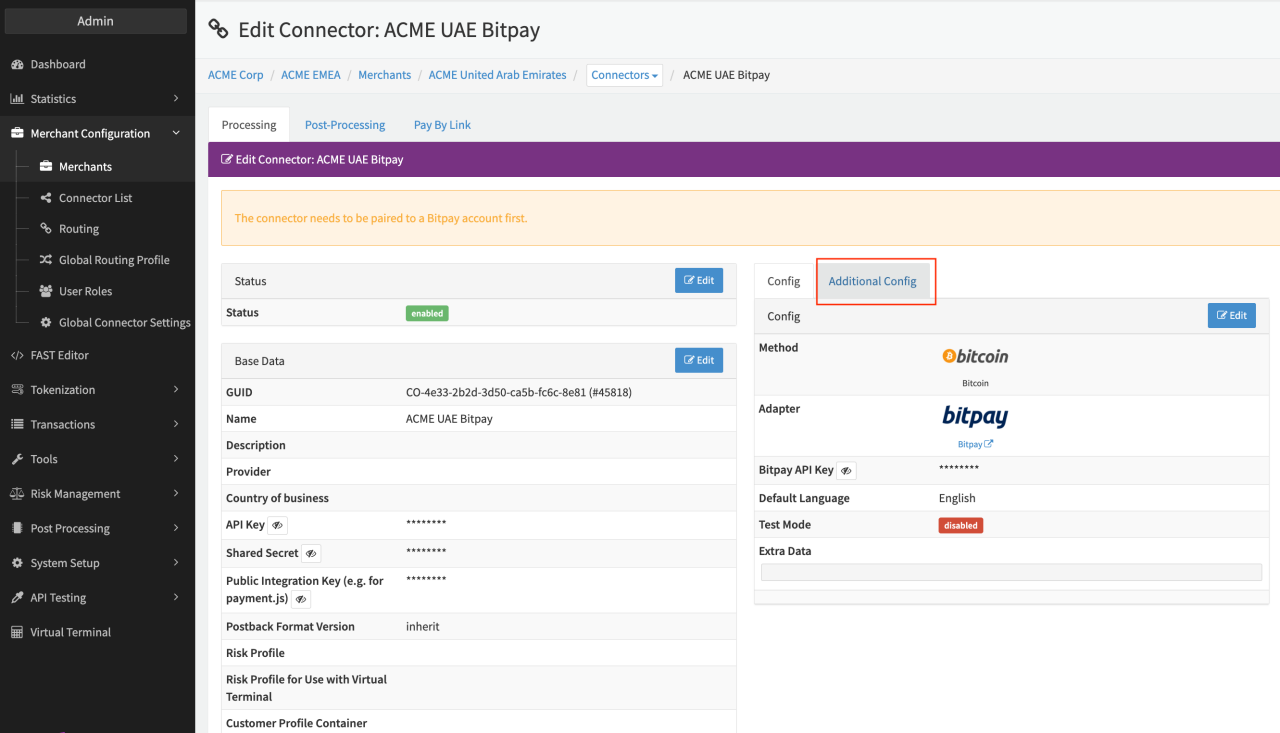
In order to use BitPay a key exchange between the IXOPAY platform and BitPay is required. This can either be done manually as described by BitPay, or by using the automated IXOPAY BitPay Pairing tool
Follow these steps to pair your IXOPAY platform BitPay Connector:
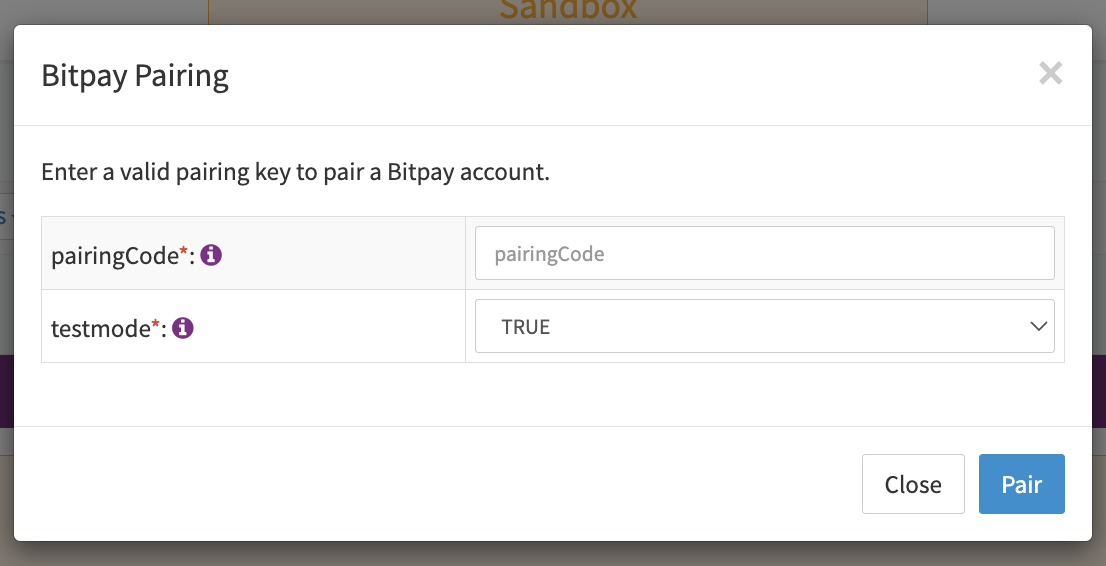
- Create a new API Access token in the BitPay administration panel and save the pairing code. (https://bitpay.com/dashboard/merchant/api-tokens)
- Navigate to the Connector Configuration section, sub-section Additional Configuration
- Fill in the saved pairing code
- Select Testmode true, false: false will pair the connector to the BitPay production environment.
- Click Pair to initiate the key exchange between the IXOPAY platform and BitPay