BillPay
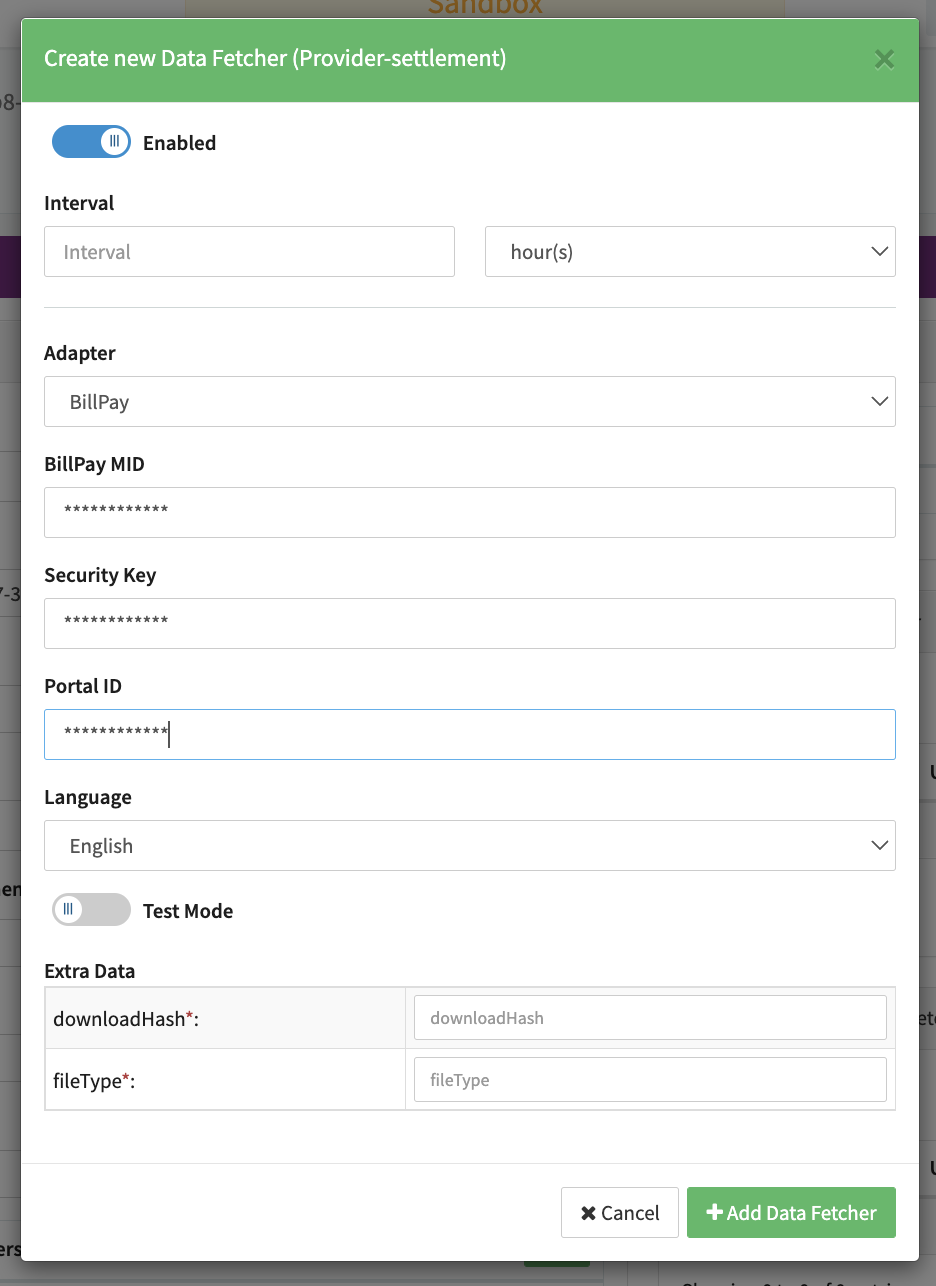
Configure the following parameters for the Connector (see Connector Config - BillPay):
- Fill in the mandatory BillPay MID — Your Merchant-ID, generated and sent by BillPayI
- Fill in the mandatory Security Key — Public API Key; generated and delivered by BillPay
- Fill in the mandatory Portal ID — Your BillPay Portal-ID, generated and delivered by BillPay
- Fill in the mandatory Extra Data: clientKey — Client Key for Javascript Widget.
- Select the mandatory Extra Data: originOfSale — Unknown, Online Shop, Offline / POS, Telesales / Call Center.
Data Fetcher Configuration
You have the option to configure Data Fetchers (see section Enable and Set Up Reconciliation on the Provider Level) either on Provider or on Connector Level, depending on which setup works better for your provider.
Provider Settlement
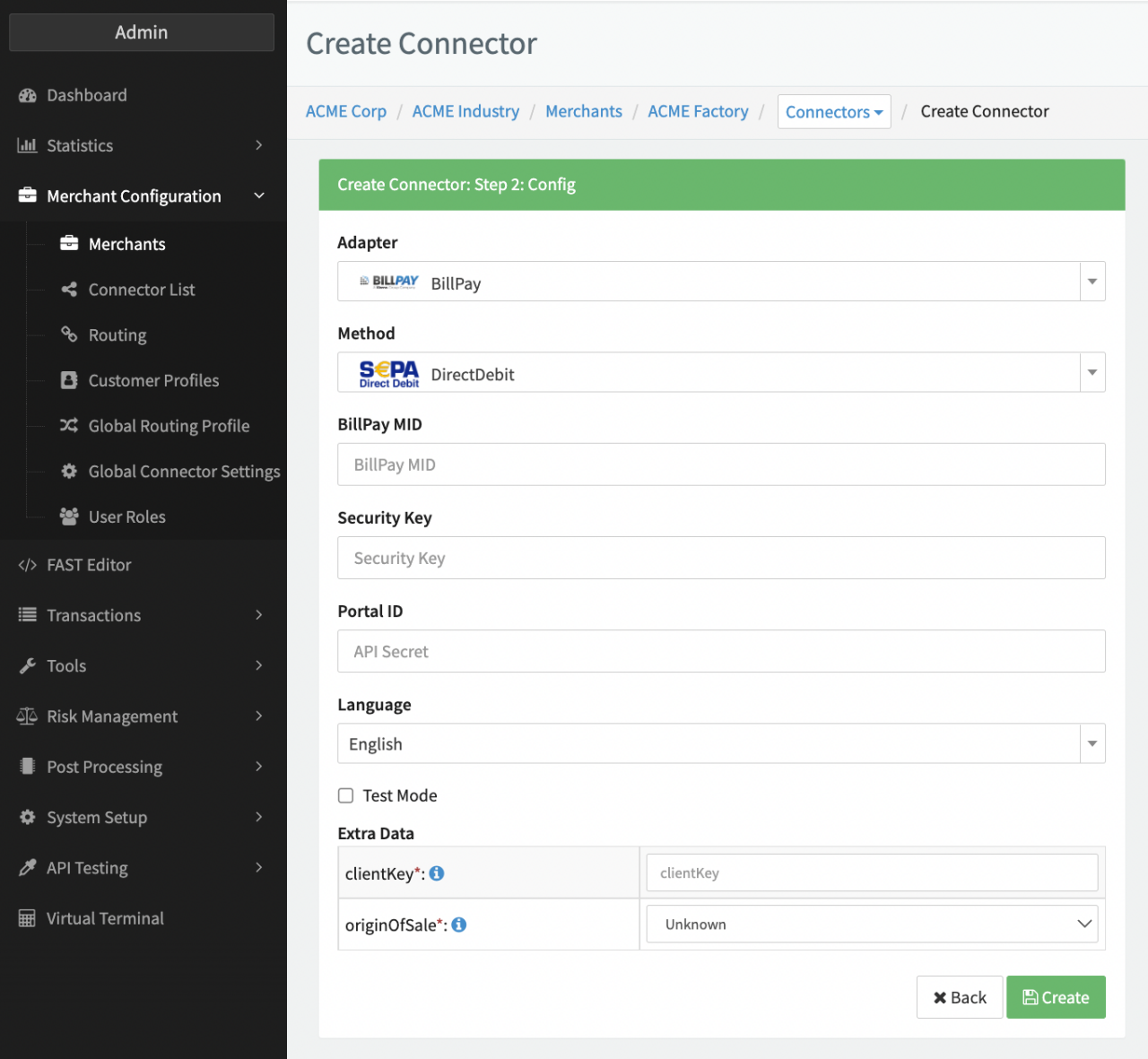
Configure the following Parameters for the Settlements Provider Data Fetcher to fetch Settlements via an API (see Edit Provider Settlement Data Fetcher Provider Level):
- Fill in the optional Name
- Fill in the expected Interval in which the Provider Settlement File should be fetched - days, hours
- Select the Adapter BillPay
- Enable Testmode
- Fill in the mandatory Extra Data: downloadHash — This is a shop/portal specific hash. BillPay will provide you with this value upon request.
- Fill in the mandatory Extra Data: fileType here are different settlement files depending upon the country or payment method. BillPay will provide you the file types you will need upon request.