Autopay
Autopay is a Polish fintech company and national payment institution supervised by the Polish Financial Supervision Authority. They provide payment gateway solutions for online shops.
Data Fetcher Configuration
To configure Autopay post-processing, first create a Provider for Autopay.
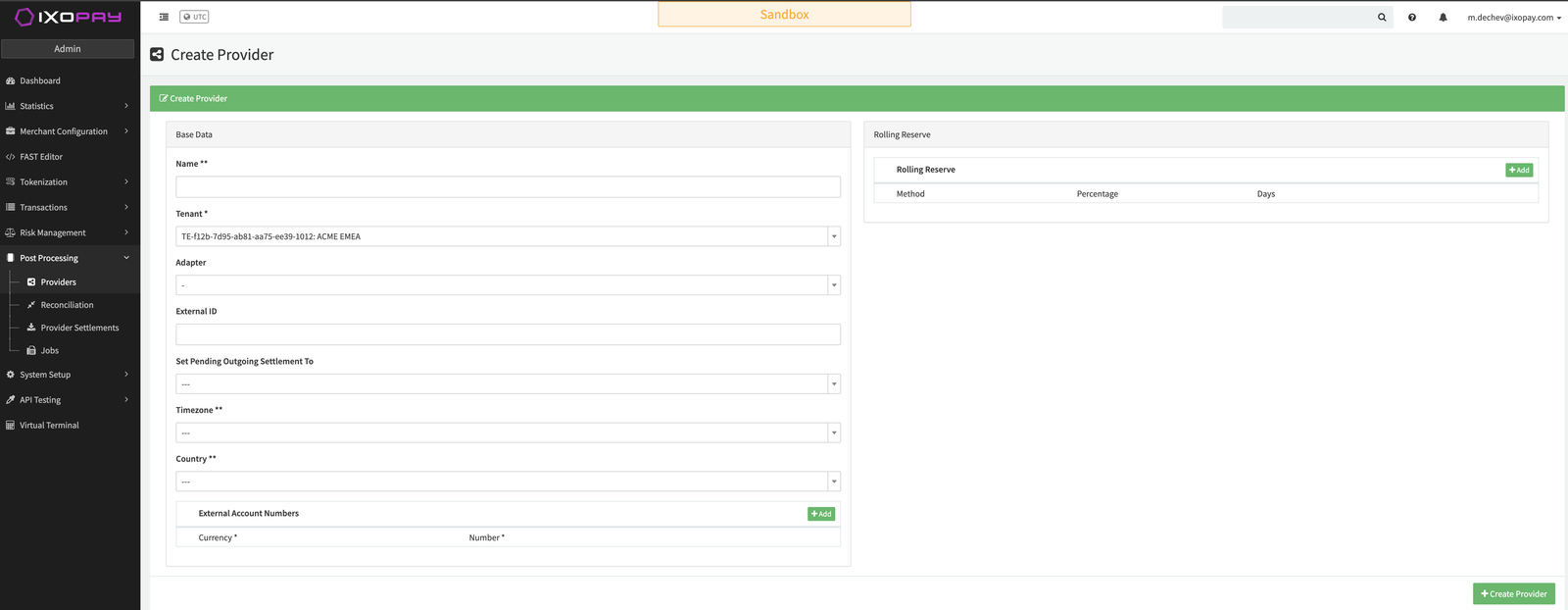
- Navigate to Post Processing → Providers and click + Create Provider (see Create Provider)
- Fill in the required fields: Name, Adapter (AutopayPci), Timezone, Country, and any External Account Numbers
- The new provider appears in the Providers list (see Provider List)

You have the option to configure Data Fetchers (see section Enable and Set Up Reconciliation on the Provider Level) either on Provider or on Connector Level, depending on which setup works better for your provider.
Provider Settlement
Configure the settlement data fetcher to retrieve settlement files from the PSP via SFTP.
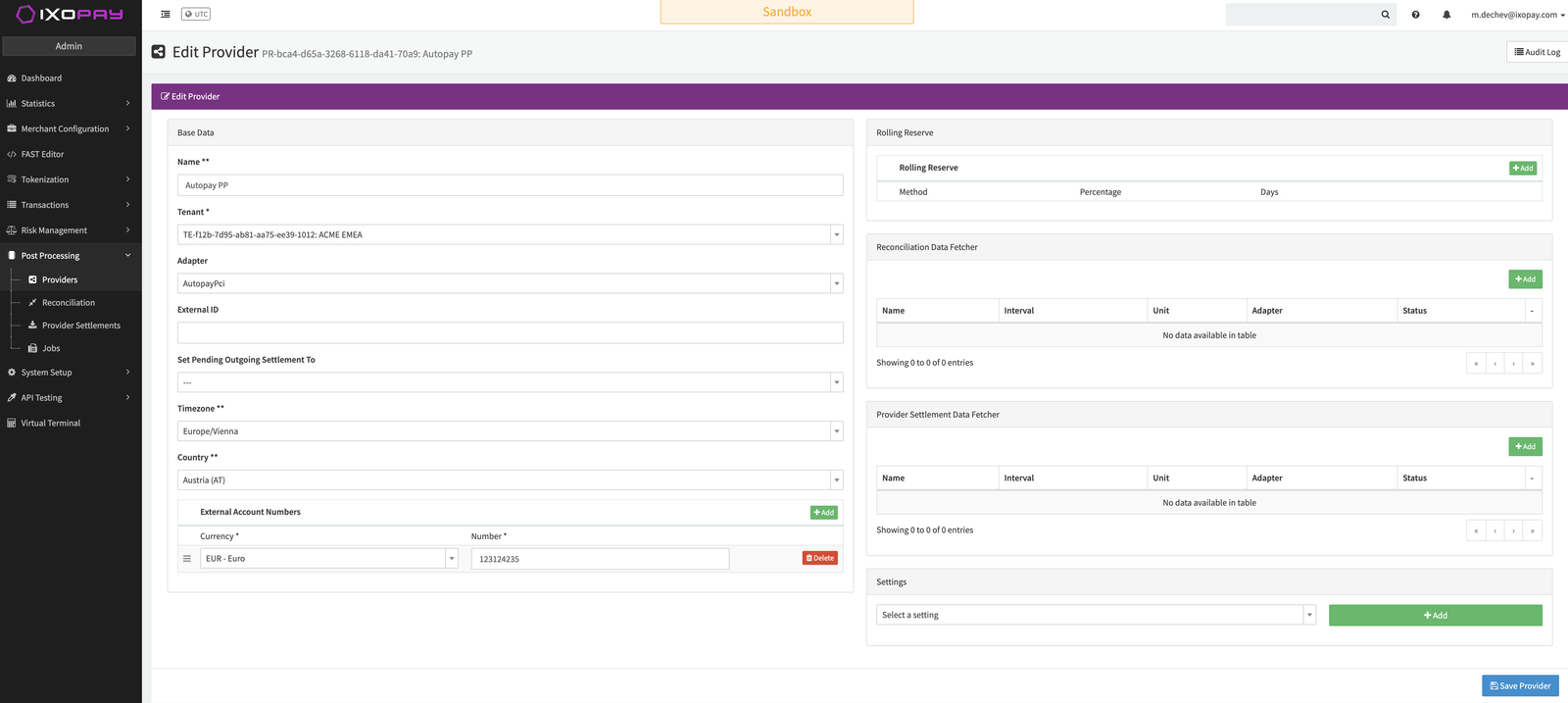
- In the Edit Provider page, locate the Provider Settlement Data Fetcher section (see Edit Provider Page)
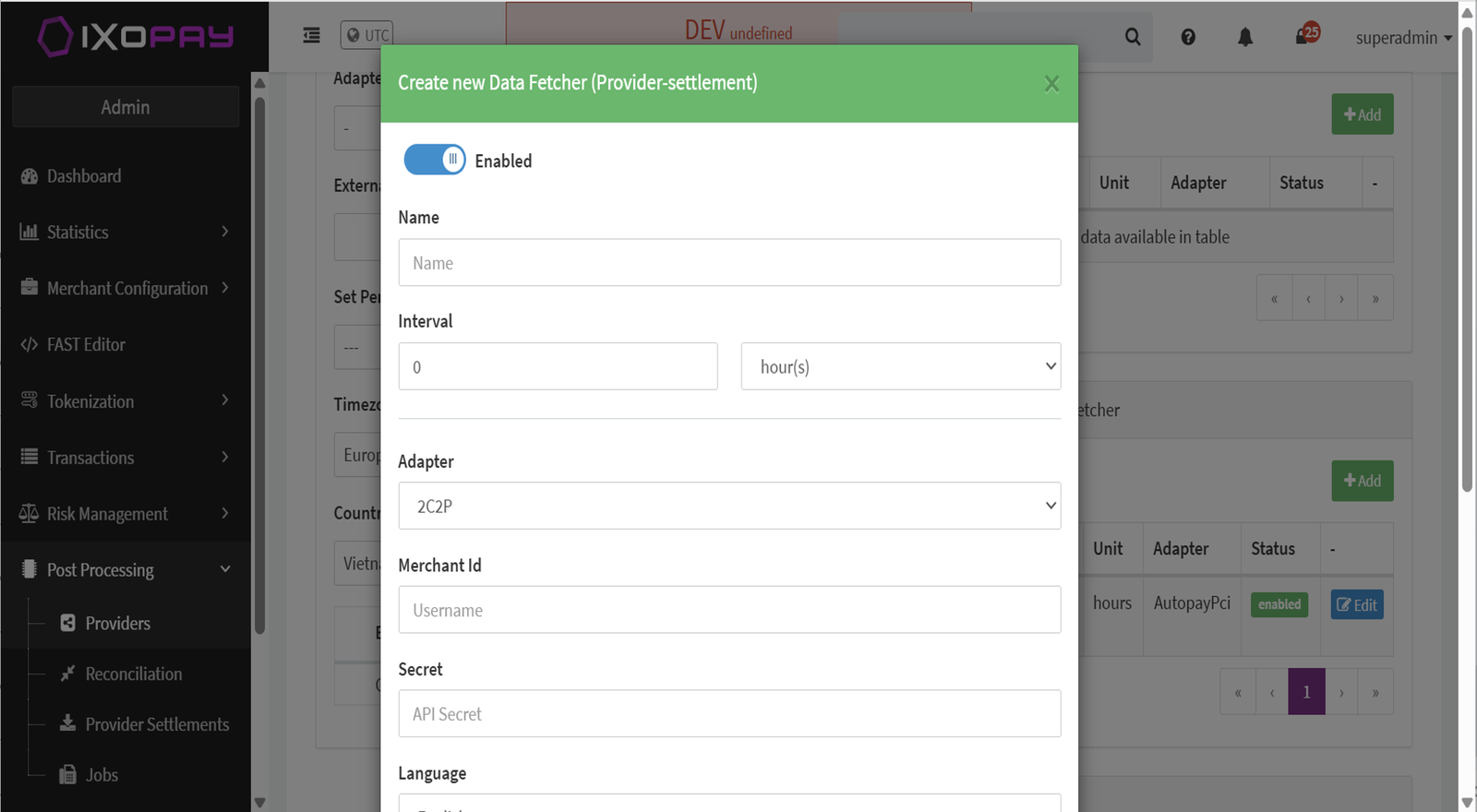
- Click the + Add button to open the configuration popup (see Add Settlement Data Fetcher)
- Enter a Name and select the Autopay adapter
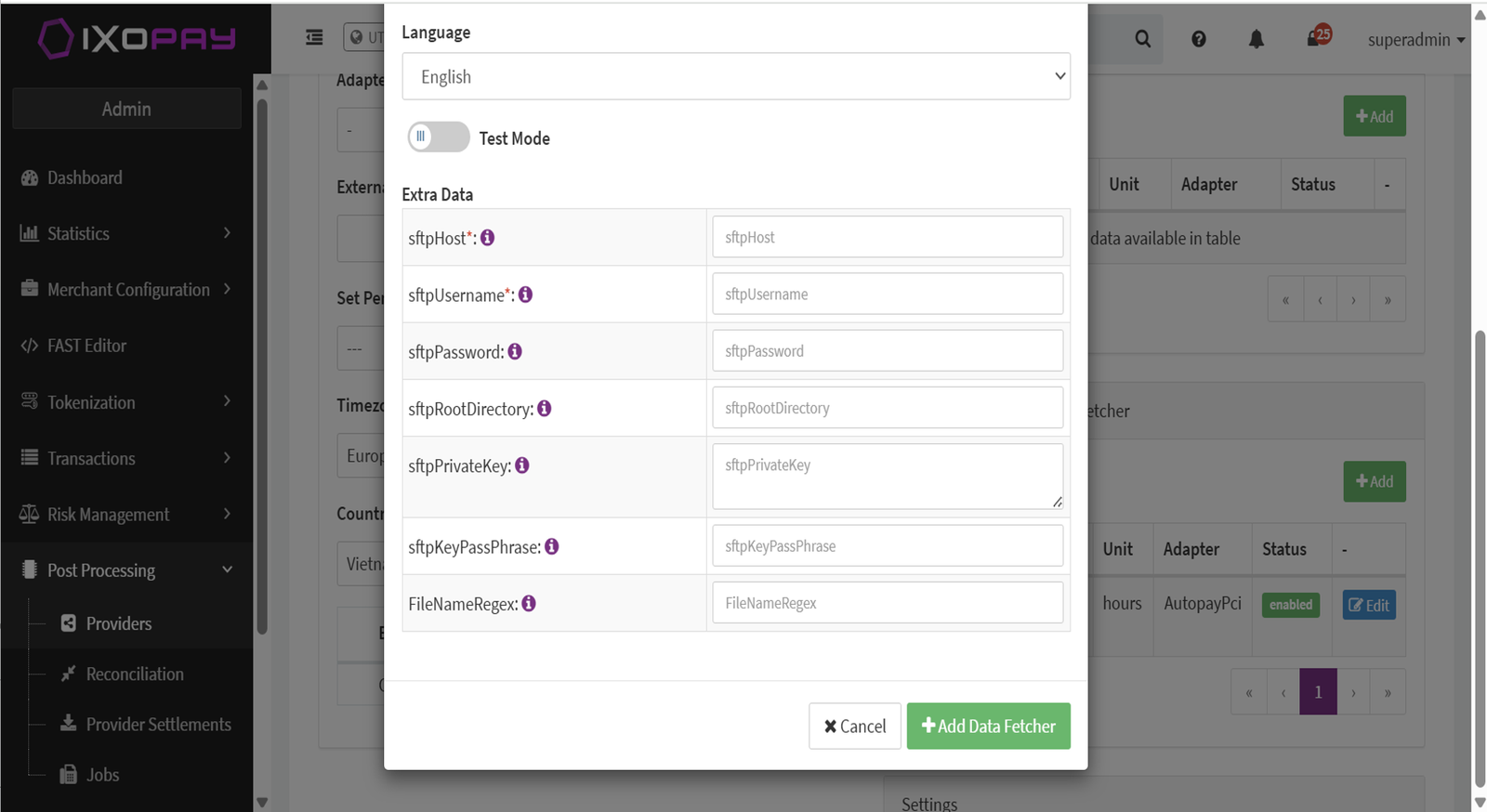
- Configure the following SFTP parameters provided by the PSP (see Settlement Data Fetcher SFTP Configuration):
- SFTP Host
- SFTP Username
- SFTP Root Directory
- SFTP Private Key
- File Name Format (Regex) — regex pattern to match settlement files
- Click + Add Data Fetcher to complete the configuration