Amazon Payment Services
Creditcard
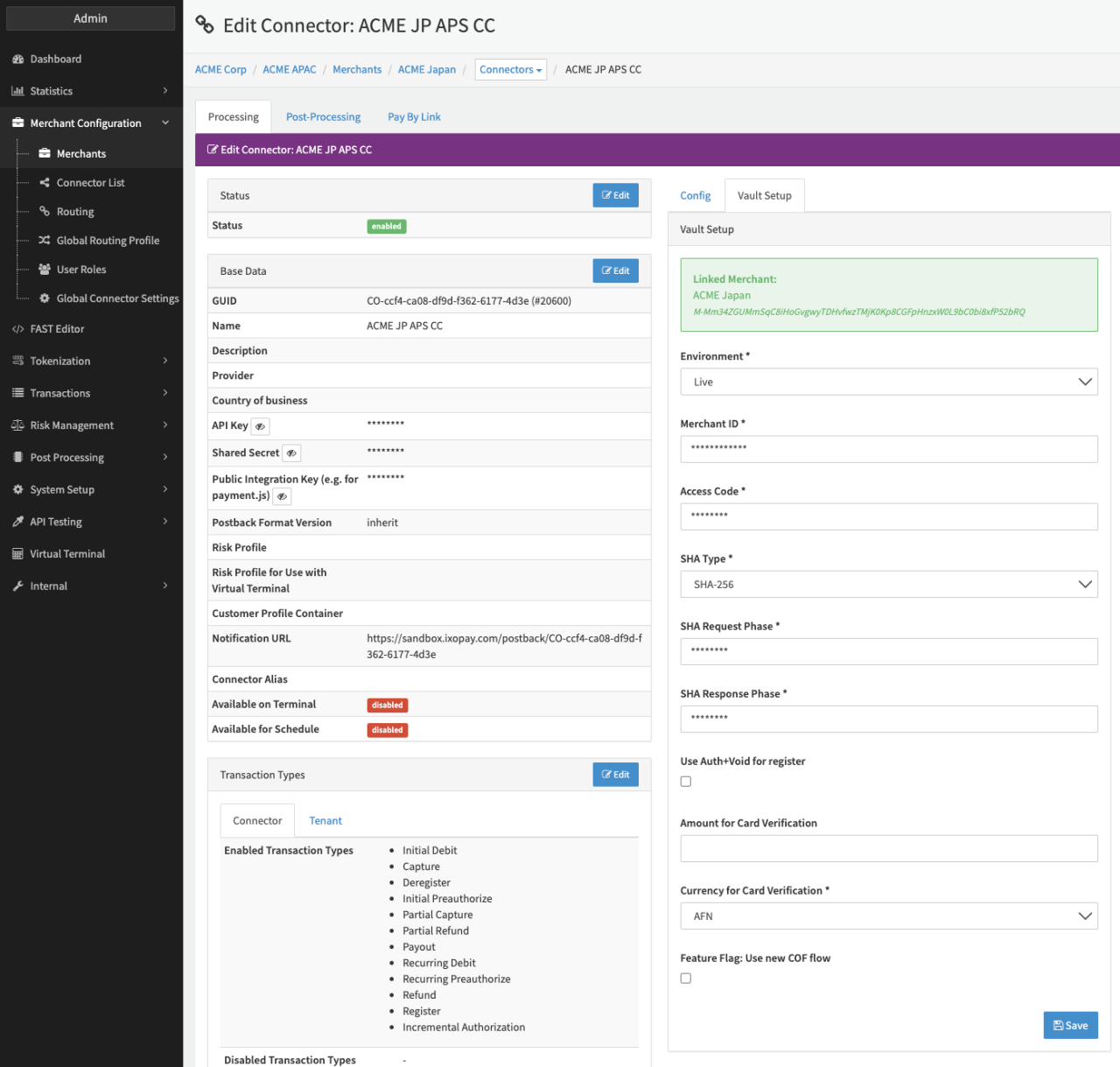
Configure the following parameters for the Connector (see Connector Detail Overview - Amazon Payments Creditcard - Vault Configuration):
- Select the mandatory Environment: Live, Test
- Fill in the mandatory Merchant ID
- Fill in the mandatory Access Code
- Select the mandatory SHA Type: SHA-256, SHA-512
- Fill in the mandatory SHA request phrase
- Fill in the mandatory SHA response phrase
- Check option Use Auth+Void for register
- Fill in the optional Amount for Card Verification
- Select the Currency for Card Verification
- Check the option Option Feature Flag: Use new COF flow
Amazon Payment Services
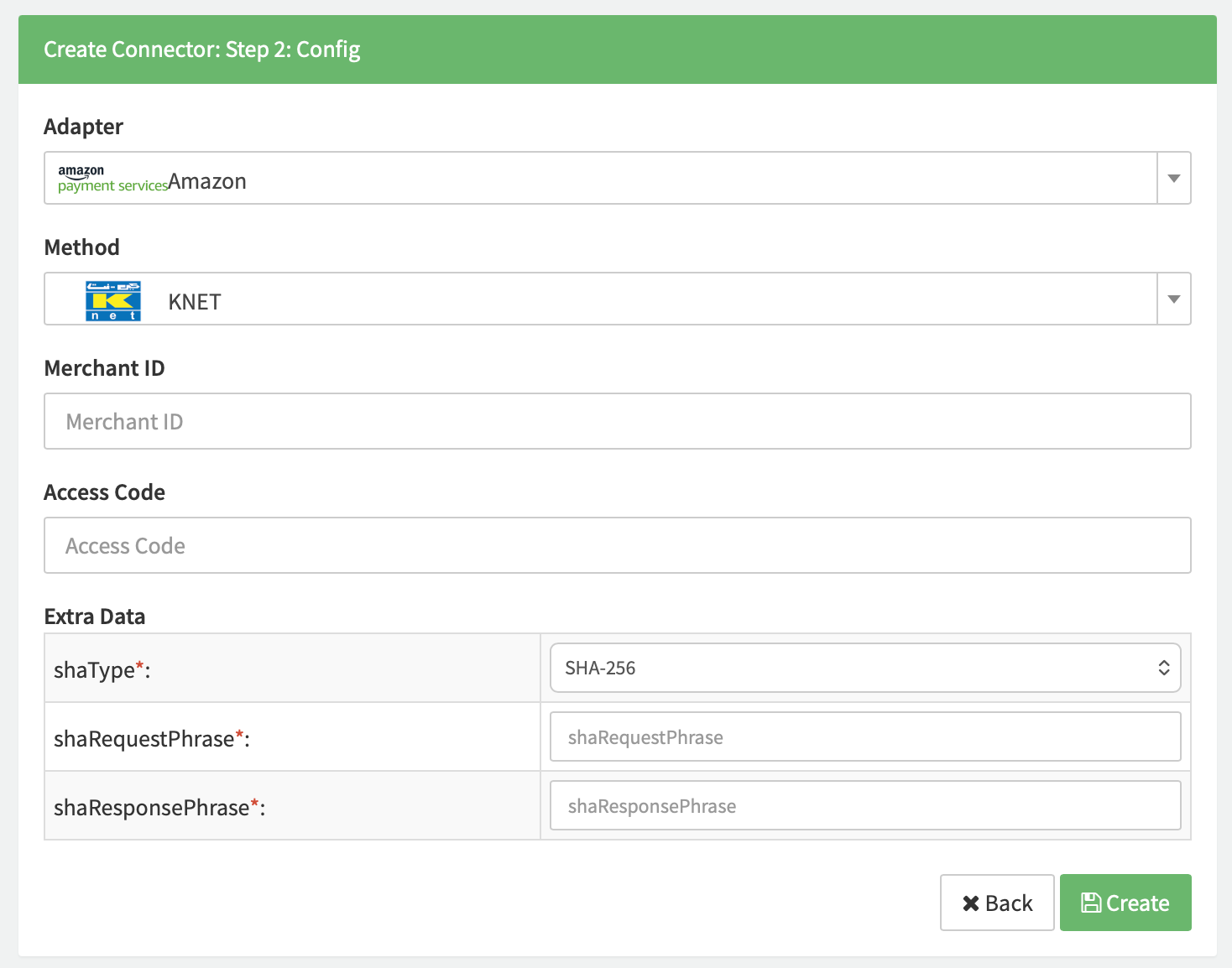
Depending on the chosen method a subset of the following parameters for the Connector needs to be configured. (see Connector Config - Amazon Payment Services)
- Fill in the mandatory Merchant ID
- Fill in the mandatory Access Code
- Fill in the mandatory Extra Data: shaType
- Fill in the mandatory Extra Data: shaRequestPhrase
- Fill in the mandatory Extra Data: shaResponsePhrase
Data Fetcher Configuration
The Amazon Payment Service PCI adapter does not support automatic settlement retrieval. Nonetheless the data fetcher needs to be configured to allow manual upload of settlement files. You have the option to configure Data Fetchers (see section Enable and Set Up Reconciliation on the Provider Level) either on Provider or on Connector Level, depending on which setup works better for your provider.
Provider Settlement
Configure the following Parameters for the Settlements Provider Data Fetcher to fetch Settlement (json format) via an API (see Edit Provider Settlement Data Fetcher Provider Level):
- Fill in a random Interval (needs to be configured but is irrelevant for the manual upload) - days, hours
- Select the Adapter AmazonPaymentServicePci
- Testmode is irrelevant for the manual upload
Once configured you are able to manually upload settlement files as described in Provider Settlement - Manual Settlement.
Settlement fields
Batch number
The batch number is the date of the time parsed in format YmdHis.
Mapped Fields
| Amazon Payments | IXOPAY platform | Default (if not set by Amazon Payments) |
|---|---|---|
merchant_reference | transaction settlement ID | none |
fort_id | transaction settlement reference | none - required |
currency | transaction settlement currency | no new tx fee |
amount | transaction settlement amount | no new line item |
Date & Time (only csv) | transaction settlement date | none |
Date retrieved (only for api request) | transaction settlement date | none |
operation | transaction settlement type | none |