Alipay
Alipay
If you want to use this adapter, please contact your Customer Success Manager directly, or contact our Support Team in the IXOPAY Customer Experience Portal.
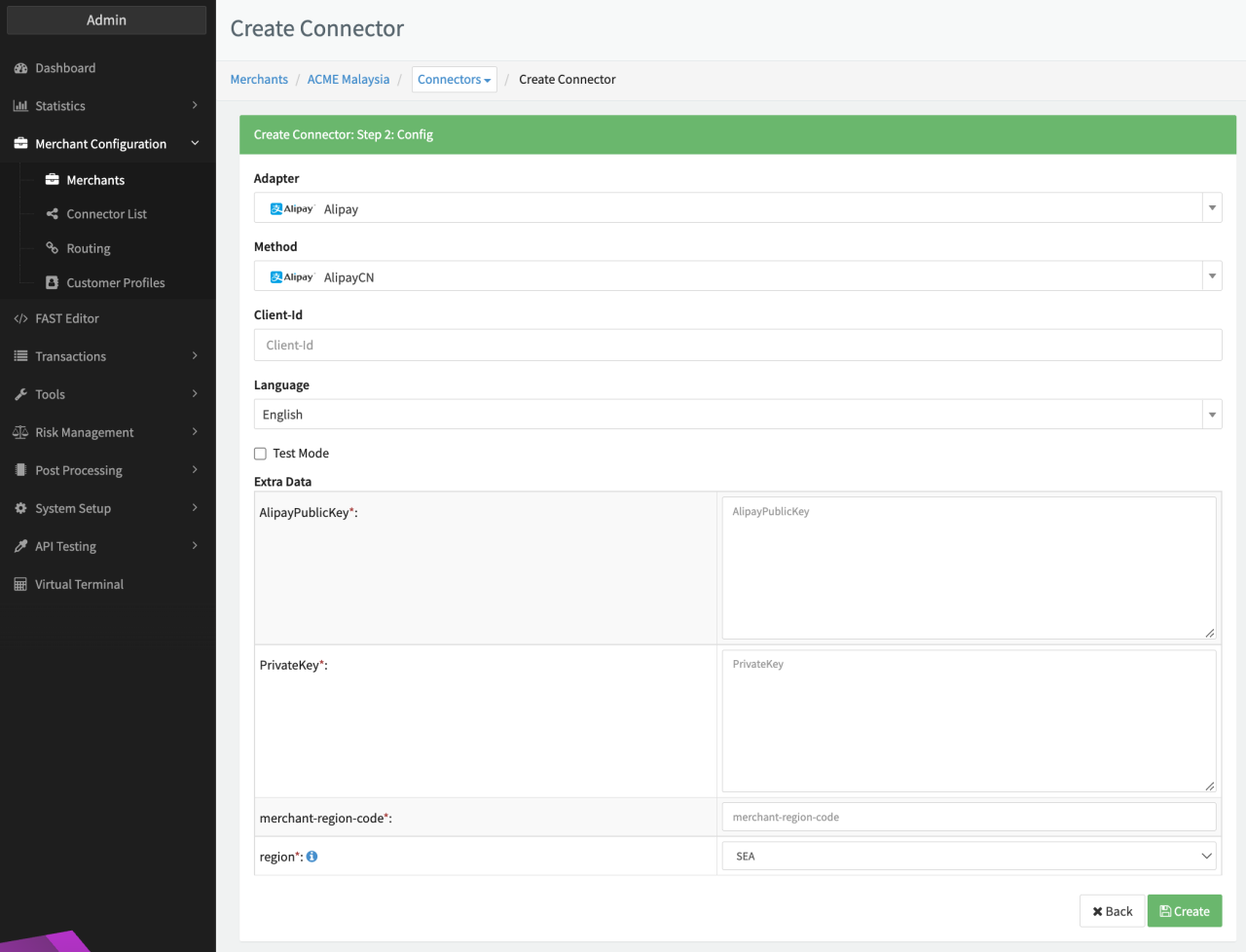
Configure the following parameters for the Connector (see Connector Config - Alipay):
- Fill in the mandatory Client ID
Additional Extra Data is available to be configured:
- Fill in the mandatory Extra Data: AlipayPublicKey
- Fill in the mandatory Extra Data: PrivateKey
- Fill in the mandatory Extra Data: merchant-region-code
- Select the mandatory Extra Data: region: SEA, EU, NA
In order to be able to configure an Alipay+ connector, you need parameters provided to you by Alipay+ during enrollment.
Alipay+
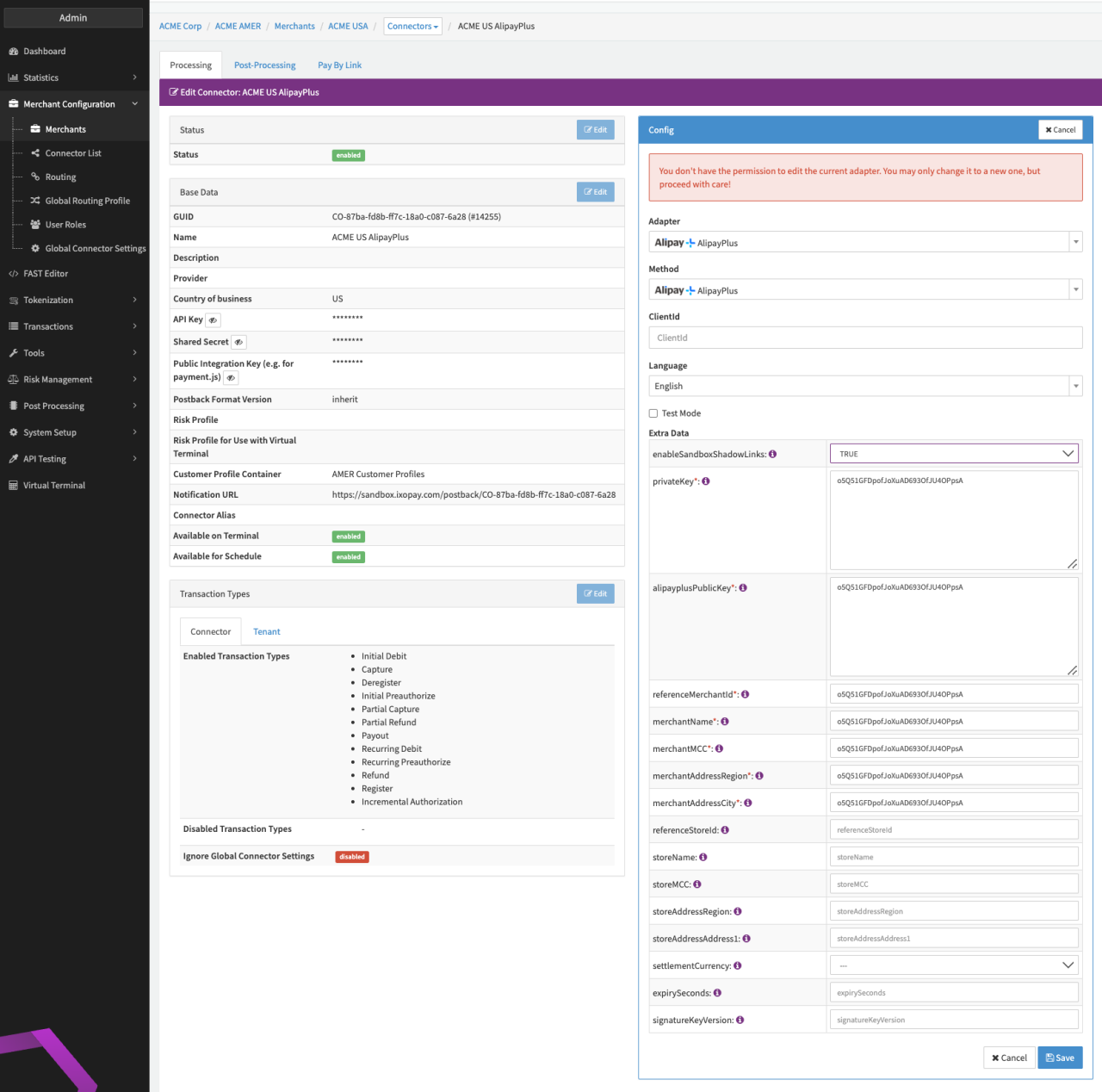
Configure the following parameters for the Connector (see Connector Config - Alipay+):
- Fill in the mandatory CliendID
Additional Extra Data is available to be configured:
- Fill in the optional Extra Data: enableSandboxShadowLink — true, false
- Fill in the mandatory Extra Data: privateKey
- Fill in the mandatory Extra Data: alipayplusPublicKey
- Fill in the mandatory Extra Data: referenceMerchantID
- Fill in the mandatory Extra Data: merchantName
- Fill in the mandatory Extra Data: merchantMCC
- Fill in the mandatory Extra Data: merchantAddressRegion
- Fill in the mandatory Extra Data: merchantAddressCity
- Fill in the optional Extra Data: referenceStoreID
- Fill in the optional Extra Data: storeName
- Fill in the optional Extra Data: storeMCC
- Fill in the optional Extra Data: storeAddressRegion
- Fill in the optional Extra Data: storeAddressAddress1
- Select the optional Extra Data: settlementCurrency
- Fill in the optional Extra Data: expirySeconds
- Fill in the optional Extra Data: signatureKeyVersion
In case you want to use the Alipay+ Sandbox Shadow Link you need additional setup in your Alipay+ account. Contact our Customer Success Manager or our Support Team in the IXOPAY Customer Experience Portal for more information.