Afterpay/Riverty
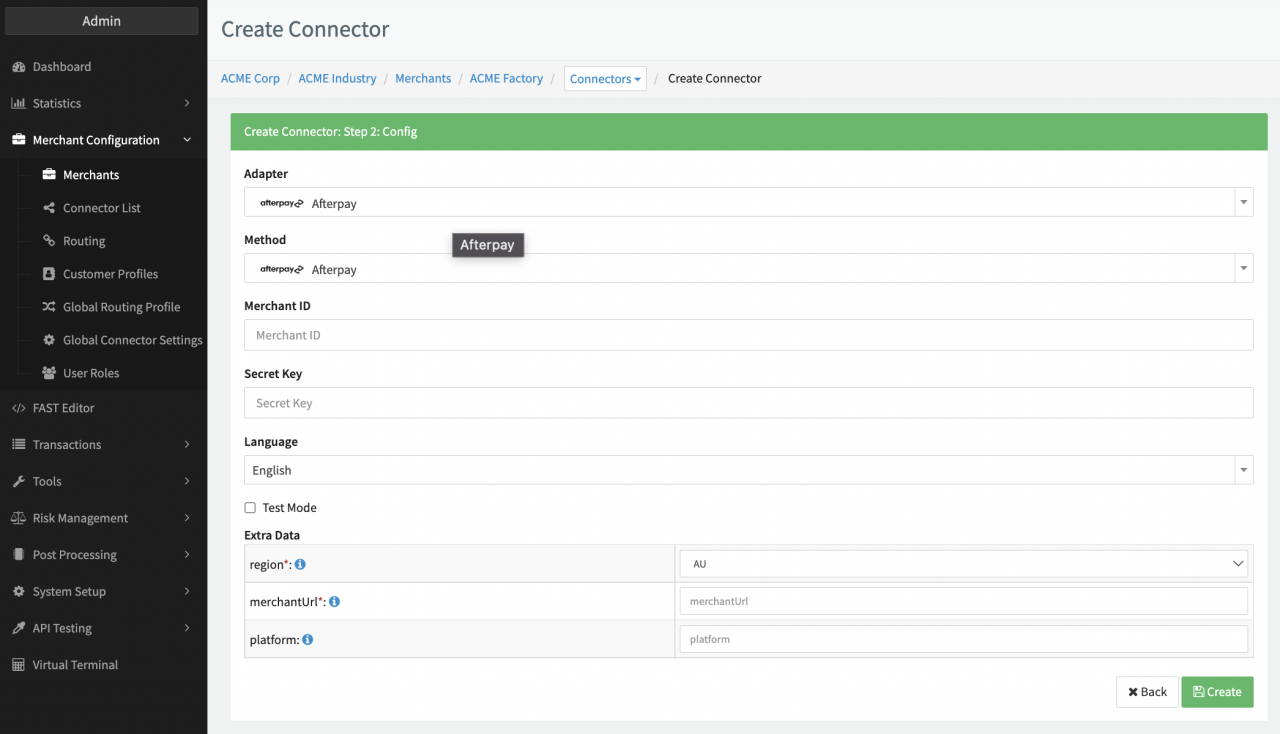
Configure the following parameters for the Connector (see Connector Config - Afterpay/Riverty):
- Fill in the mandatory Merchant ID - 5-digit code provided by the provider
- Fill in the mandatory Secret Key - provided from your provider account
- Select the mandatory Extra Data: region
- Select the mandatory Extra Data: merchantURL URL to Merchant Shop: the terms and conditions for installment Afterpay/Riverty will refer to the Merchant Shop and Name. Therefore Afterpay/Riverty creates a URL specifically for the Merchant Shop
- Select the mandatory Extra Data: platform Platform to be sent in the User-Agent header instead ofIXOPAY platform